Resume Search Messaging
a personalized experience that enables employers and potential candidates to continue their conversation on Indeed
GITHUB Repo: https://github.com/srsolomon/indeed-messaging-prototype
Live Prototype (GITHUB pages): https://srsolomon.github.io/indeed-messaging-prototype/
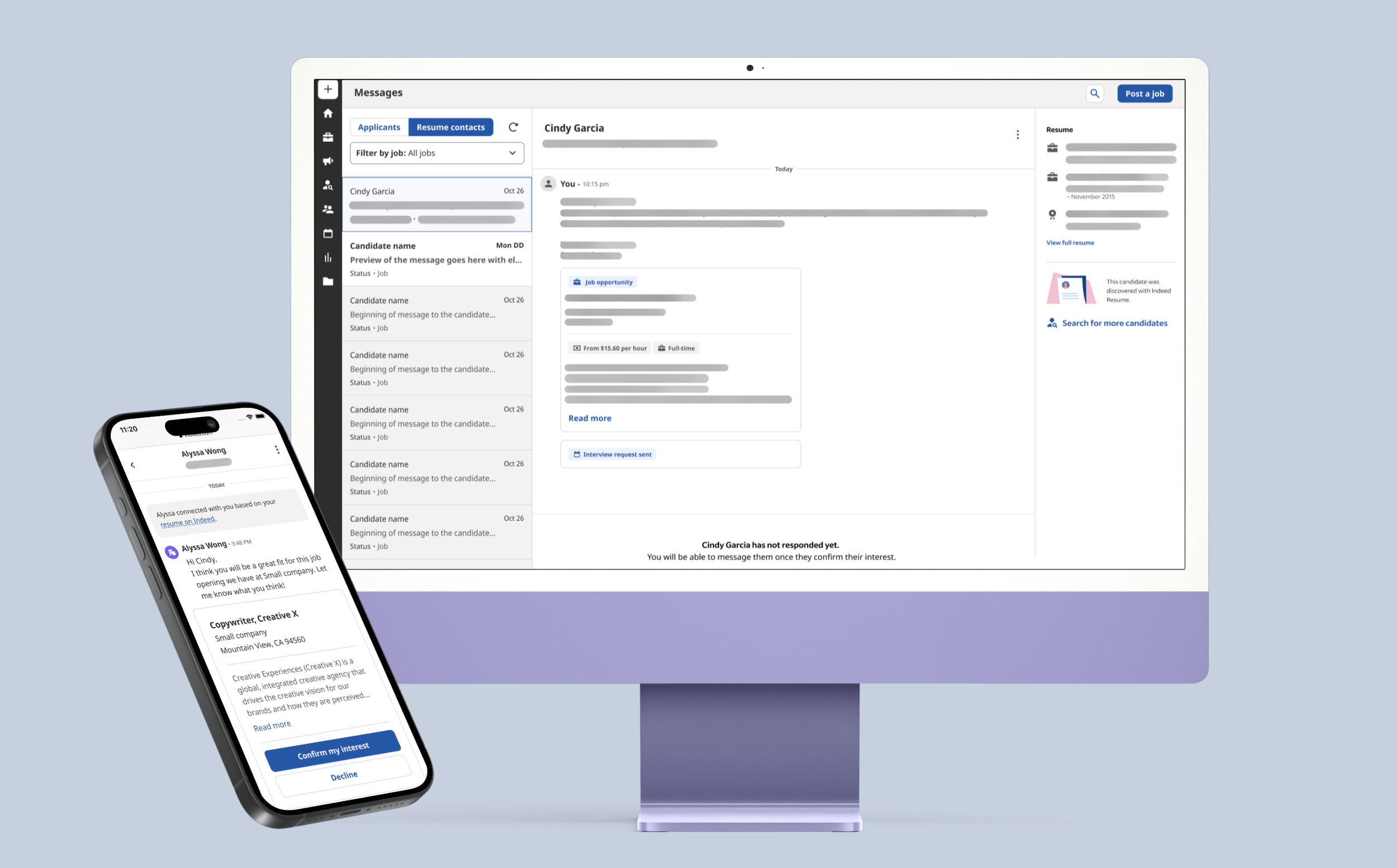
Overview 💥
Company: Indeed, Messaging + Smart Sourcing (formally, Indeed Resume Search)
Role: UX Designer
Team: Myself [some collaboration w/ adjacent teams + PM + Devs]
Deliverables: Hi-fi designs + suggestions for future iterations
Status: Partially Developed
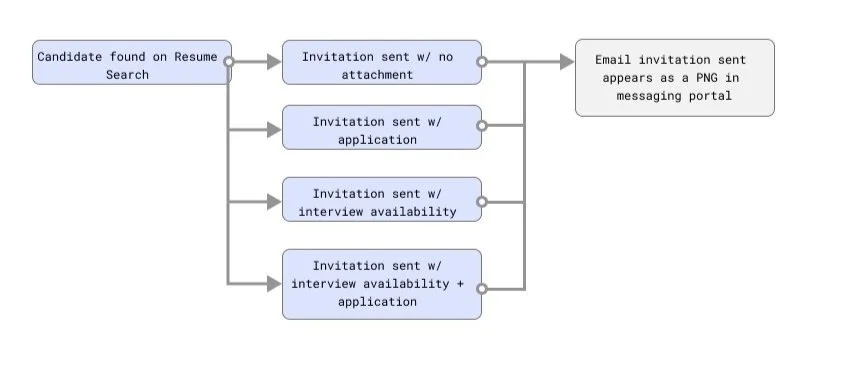
Summary: Resume Search is a platform on Indeed that enables recruiters to find and contact potential candidates for specific roles by reviewing their resumes. Currently, messaging occurs via email after the initial contact because Indeed's messaging for Resume Search is not interactive—the email appears as a PNG for the employer. The goal is to create a closed-loop system where users can start and continue their conversations directly on Indeed, similar to other features on Indeed.



Discovery 🔎
Step 1 – Meet with product manager
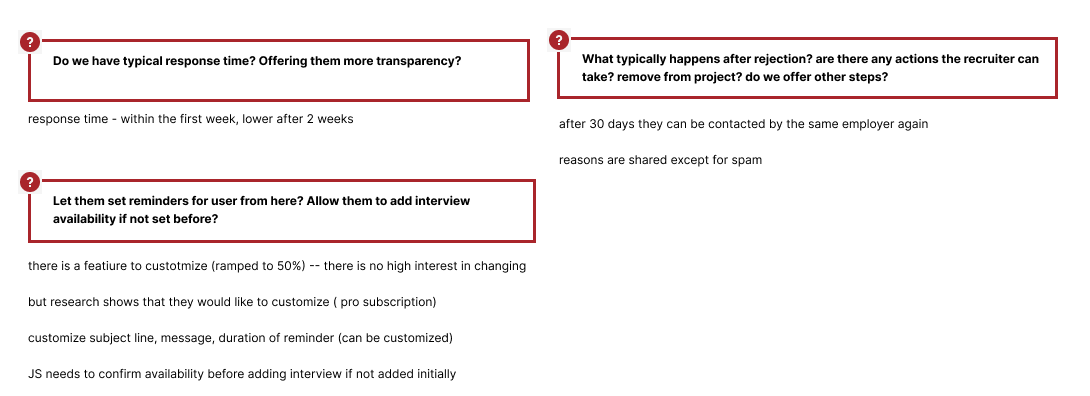
I met with the product manager to understand how users currently contact candidates on Resume Search and the difficulties they face. This helped me grasp the existing user capabilities, the reasons they prefer email, and the workarounds they employ to move from initial contact to hiring the candidate. I was also able to ask questions that helped me with creating the userflows.
Step 2 – Meet with adjacent teams
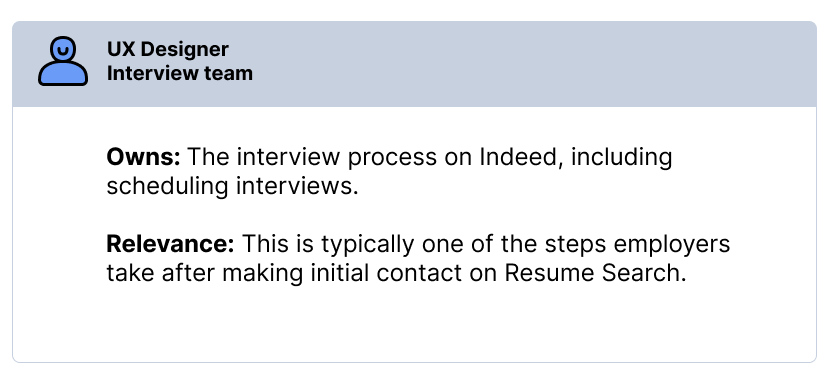
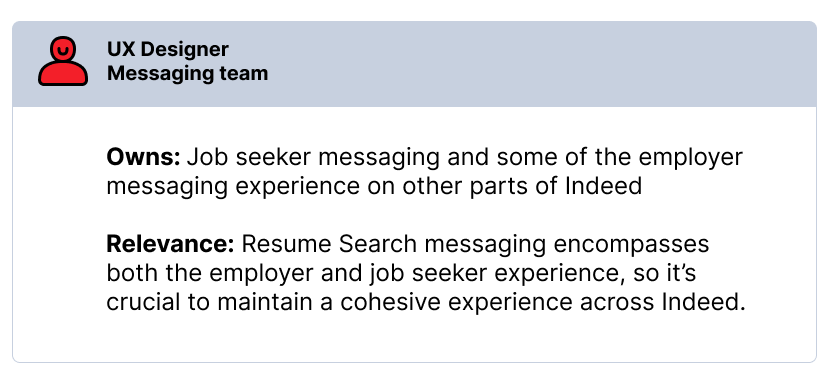
Proactively coordinated design sessions with designers on the Interviews team and the Messaging team to maximize collaboration and ensure consistent user experience.
Userflows 🚧
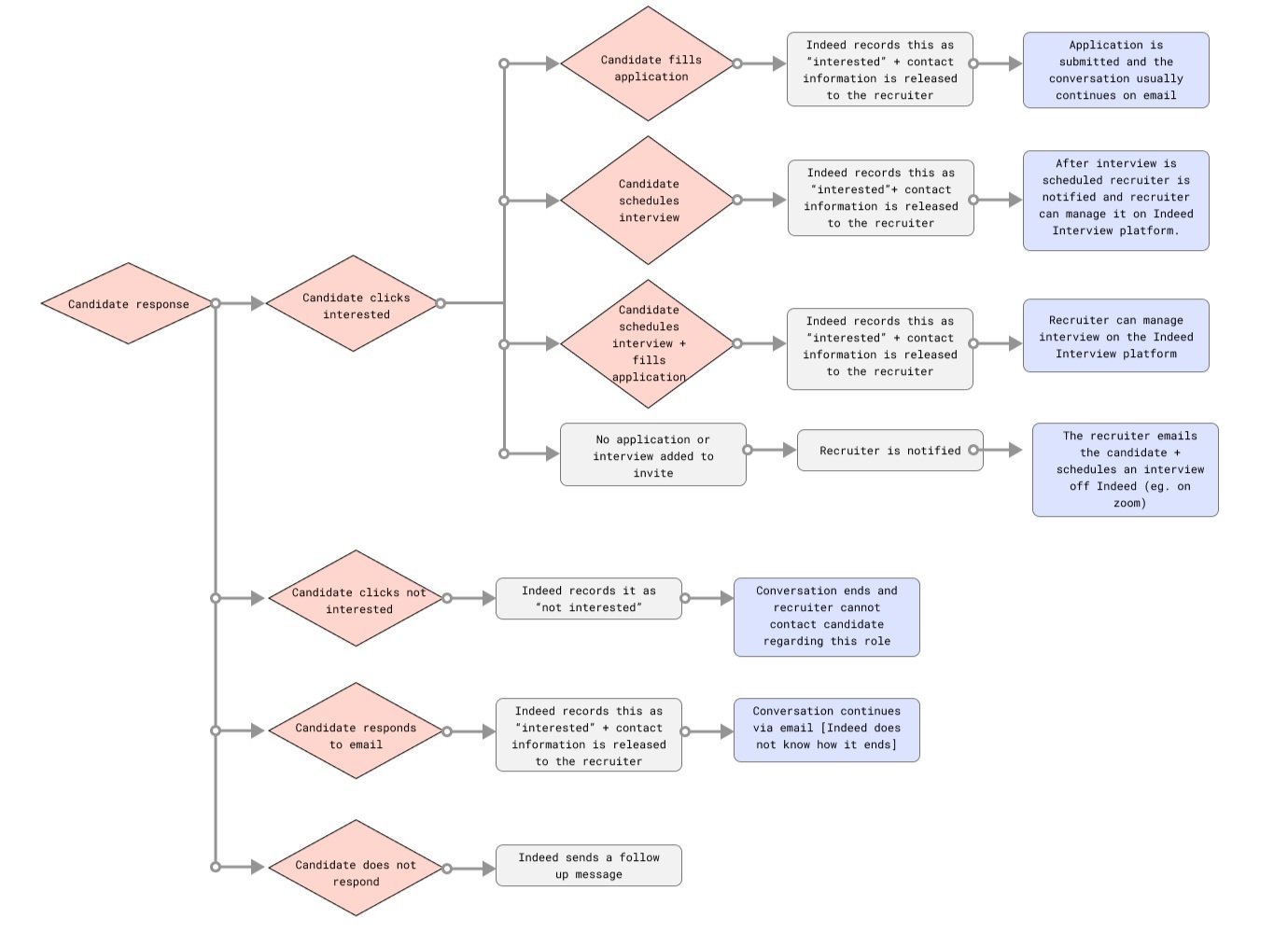
Step 1 – Current Userflow
Based on my conversations with the PM and the designers on the Messaging and Interview teams, I gained a comprehensive understanding of the complete journey for both recruiters and candidates. This deep insight into how users interact with the product is critical for making future design decisions that are user-centered, efficient, and effective.
Evaluating the existing user flow allowed me to identify where users encounter difficulties or drop off. Additionally, I pinpointed opportunities to streamline the process, which can help retain recruiters on the Indeed platform and keep the conversation flowing. This analysis ensures that our design improvements will enhance the overall user experience, driving engagement and satisfaction.
Outcomes based on candidates response:
Types of invitations that can be sent:
Step 2 – Future Userflow
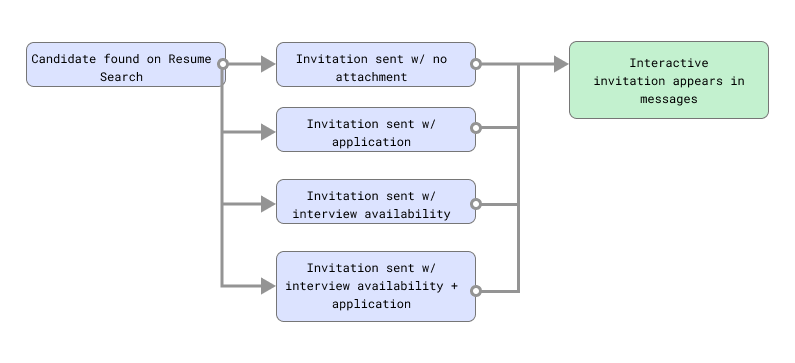
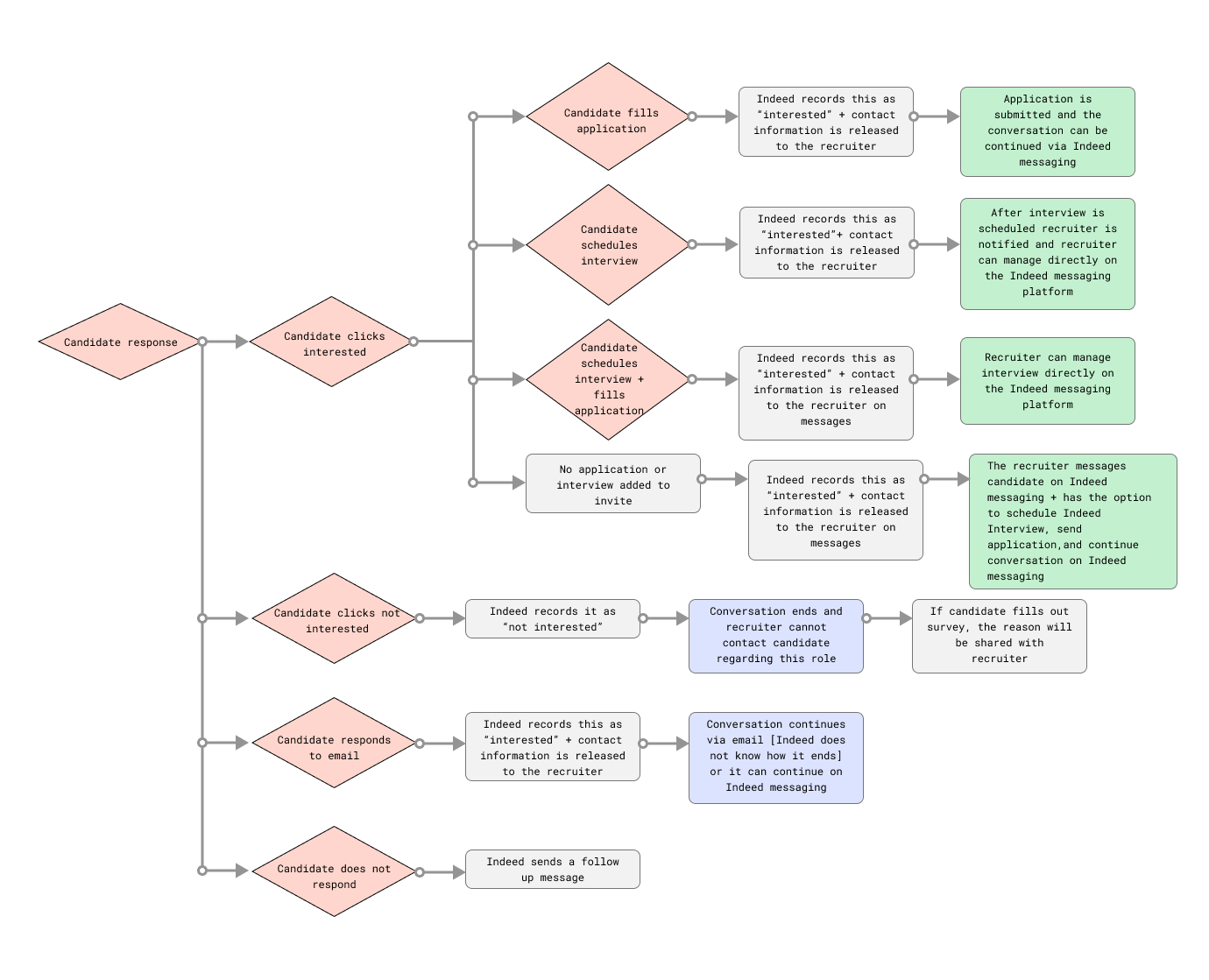
Creating this future user flow helped me align with the other designers and the PM to deliver the best user experience. By highlighting areas [in green] where we would positively impact the user experience and implement changes, I was able to clearly communicate these changes to the developers. This ensured everyone was on the same page, reducing miscommunication and aligning efforts toward common goals.
Additionally, the future user flow allowed us to focus on creating a more streamlined and efficient process. It helped us anticipate where error states might occur and understand the various outcomes that could result from a single decision. This proactive approach minimized the risk of negative user experiences, ensuring a smoother and more intuitive interaction for our users.
Moreover, it helped me identify which parts of the experience would require input from the Interview team and which would require input from the Messaging team, facilitating better collaborations.
Types of invitations that can be sent:
Outcomes based on candidates response:
Recruiter: Current vs. Future design 🖥
Step 1 – Current Design
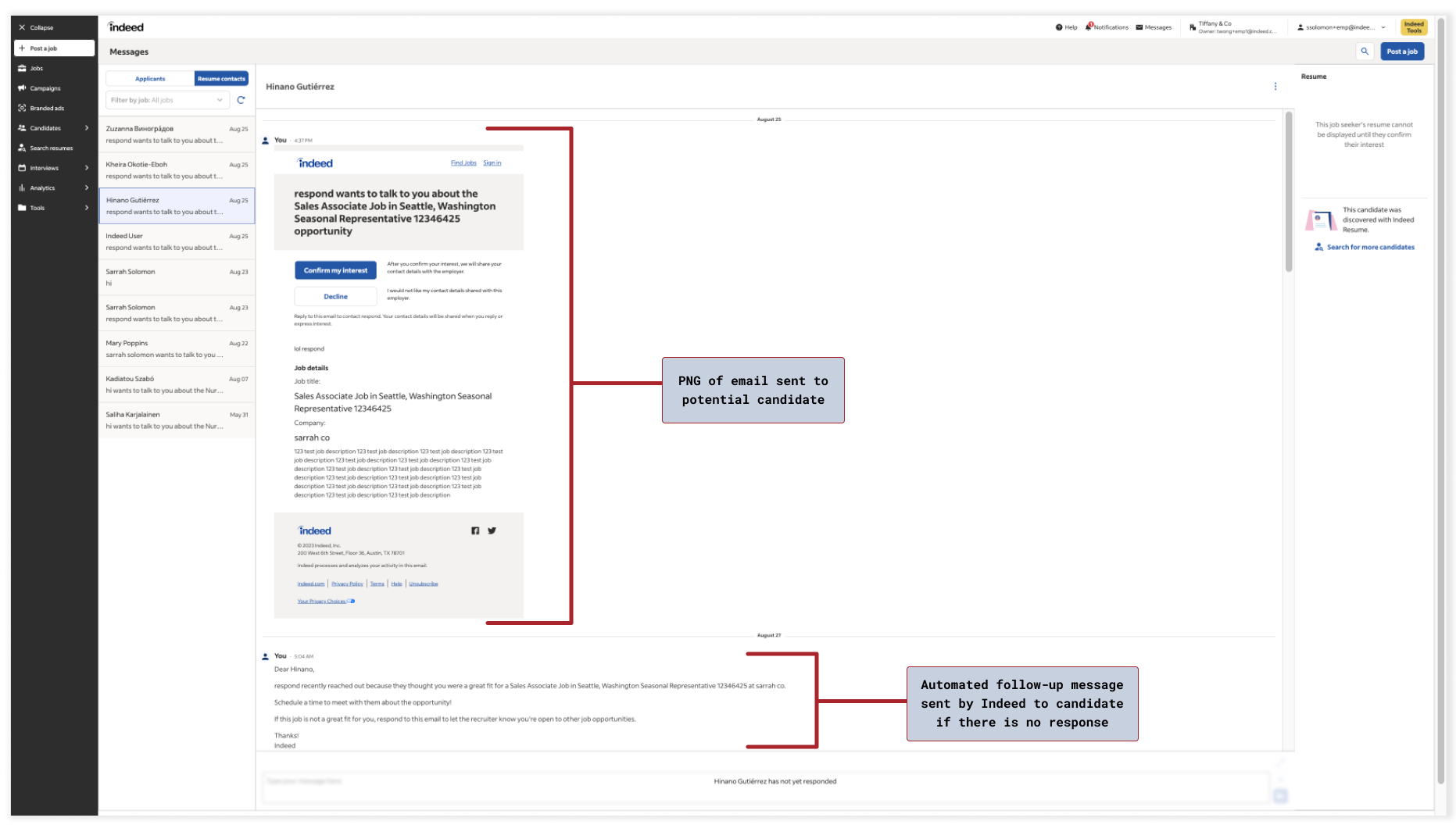
One of the main reasons recruiters and potential candidates did not use Indeed Messaging for Resume Search was its bare-bones and inconvenient nature. When an outreach or invitation was emailed to a candidate, a PNG of the email would appear in Indeed Messaging, making it cumbersome for either party to use the messaging feature. As a result, conversations typically continued through email instead. This bypass prevented Indeed from capturing any information from these interactions, hindering our ability to provide personalized recommendations and assist recruiters in hiring candidates more efficiently.
Current recruiter experience: Indeed Messaging center
Step 2 – Recommended Recruiter Experience
In the experience I designed, I started with the north star vision and then iterated to address engineering constraints and align with other teams and their timelines. The designs included relevant information to facilitate recruiters' review of candidates' qualifications, such as a resume blurb. Additionally, I ensured that edge cases and error states were thoroughly covered. I made sure to leverage the Indeed Design System to ensure a cohesive experience.
Recruiter just reached out, no response from candidate yet…
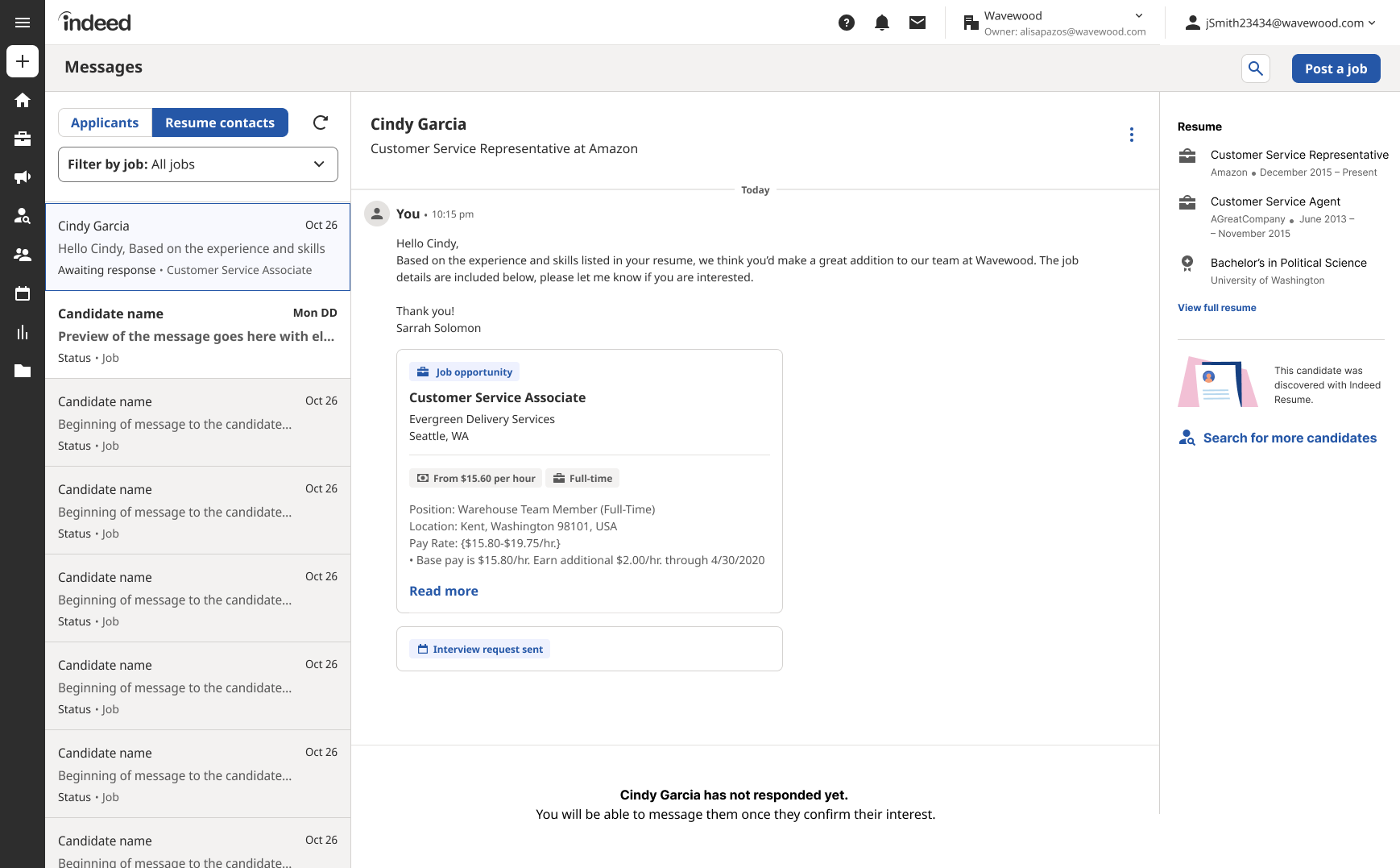
Notes: The recruiter is not able to message the candidate after the initial contact until the candidate responds interested [this is to prevent spamming the potential candidate]. Unlike the current version, this iteration provides recruiters with comprehensive information, including the candidate's current job, the message they sent, the response status, and details about the job opportunity shared. This holistic view equips recruiters with all the necessary information they need to effectively engage with candidates and make informed decisions.
If candidate responds not interested…
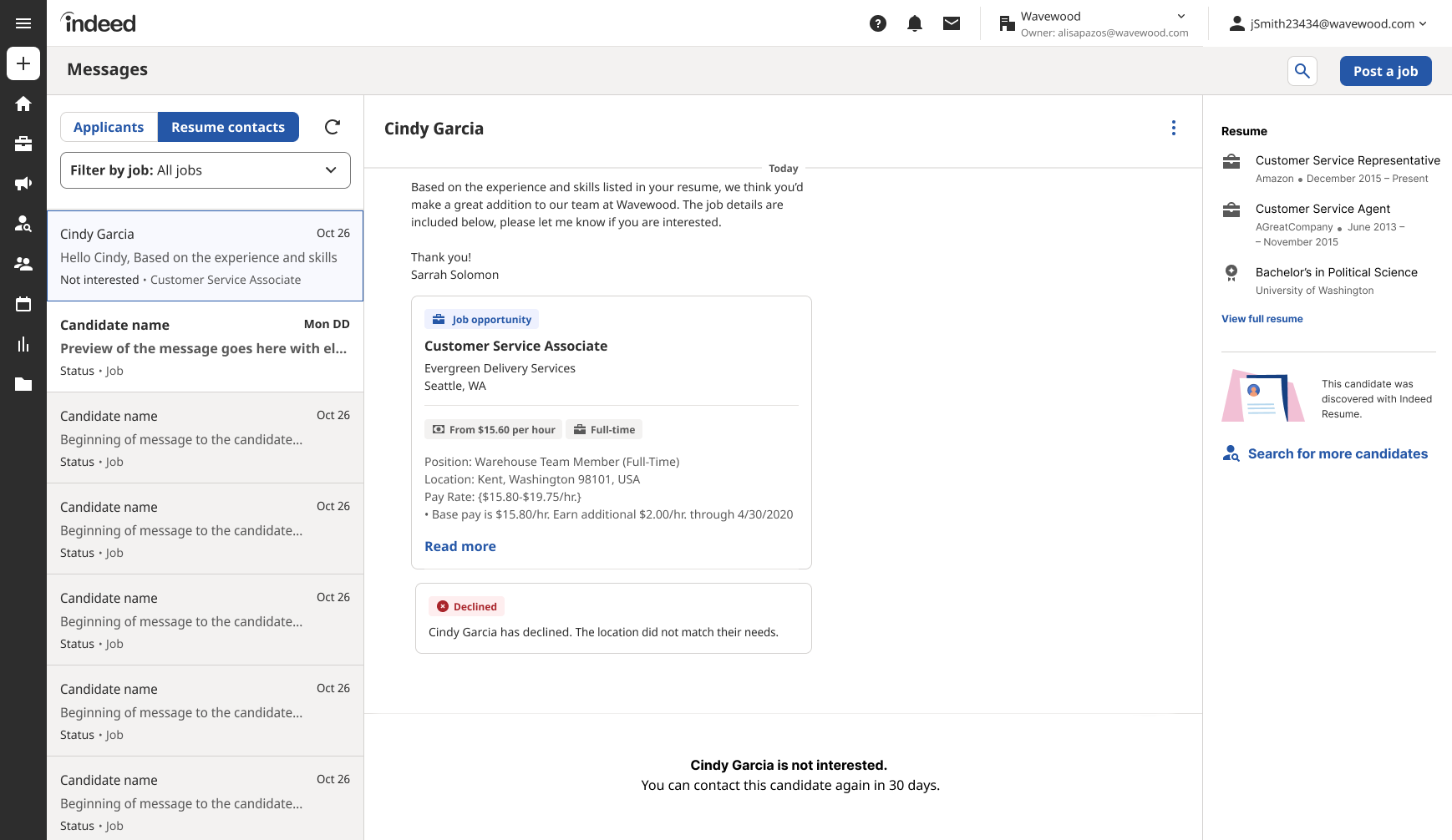
Notes: Upon candidate decline, the status promptly updates to "declined," accompanied by a clear indication of the reason behind their decision. Furthermore, to respect the candidate's choice and prevent undue persistence, recruiters are temporarily restricted from contacting them again for a period of 30 days. This ensures a respectful and non-intrusive approach while maintaining transparency throughout the hiring process.
If a candidate responds interested but…
does not schedule an interview
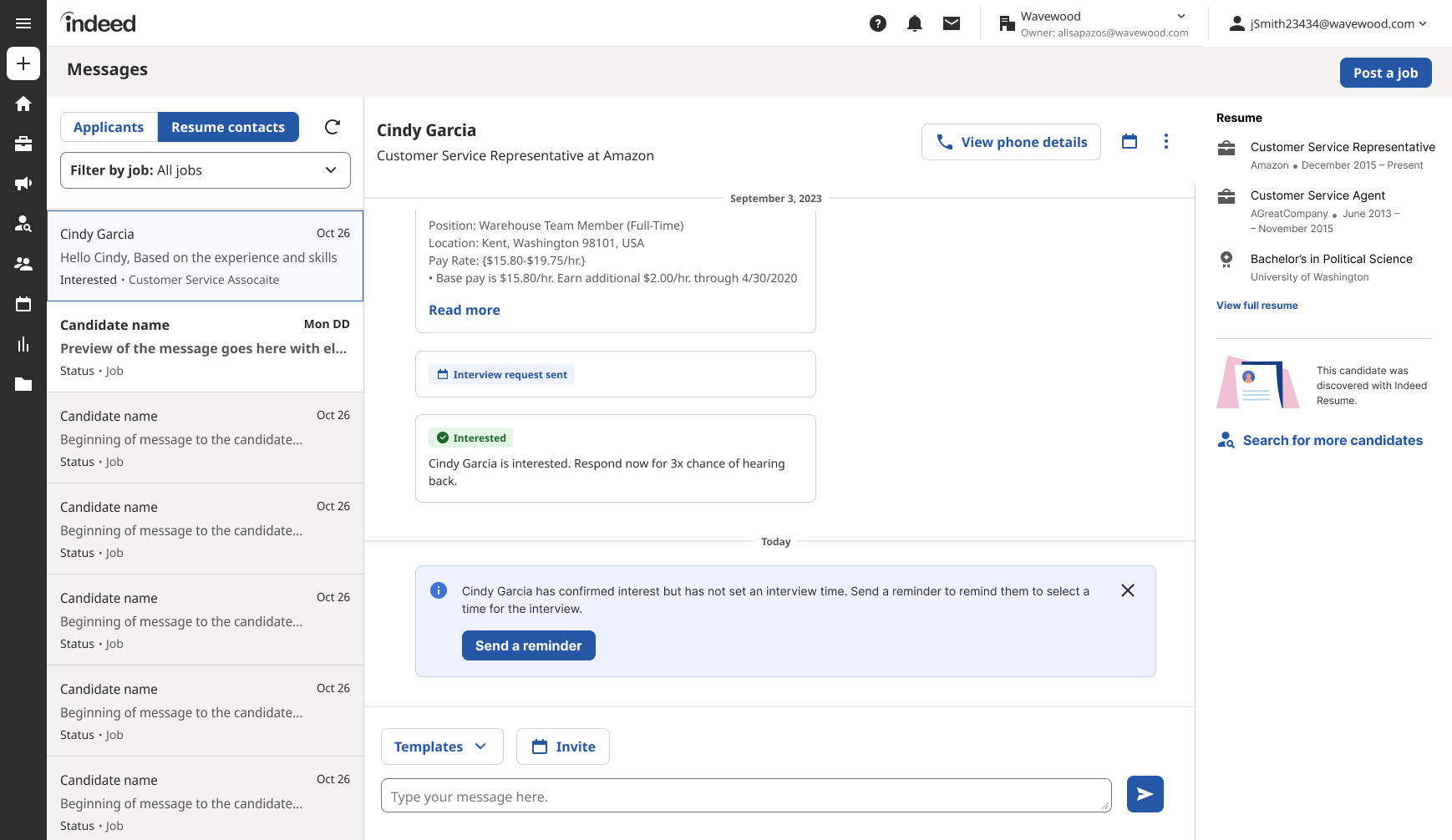
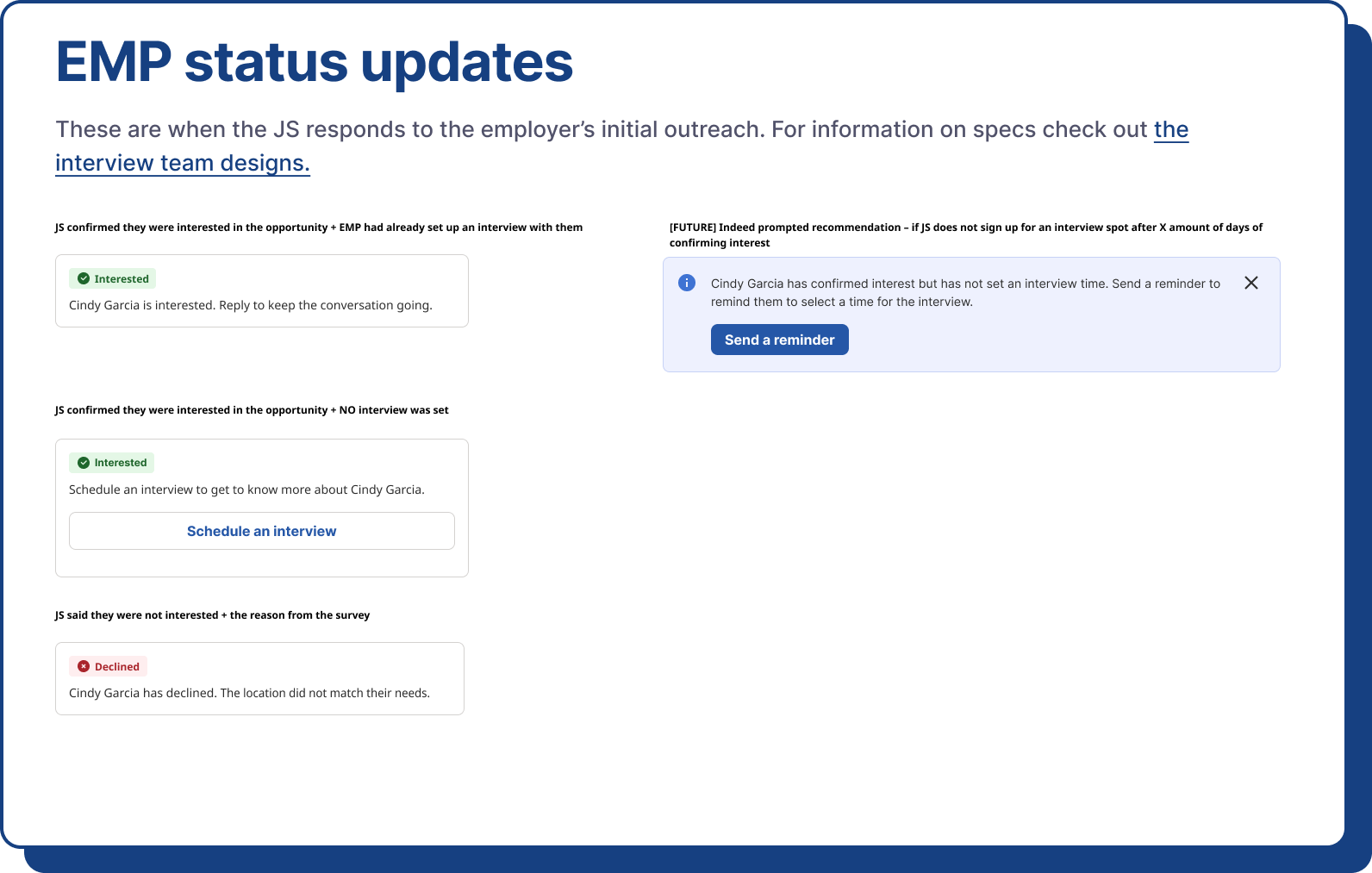
Note: Indeed automatically prompts the recruiter after 2 days to send a reminder to schedule the interview.
declines interview [edge case]
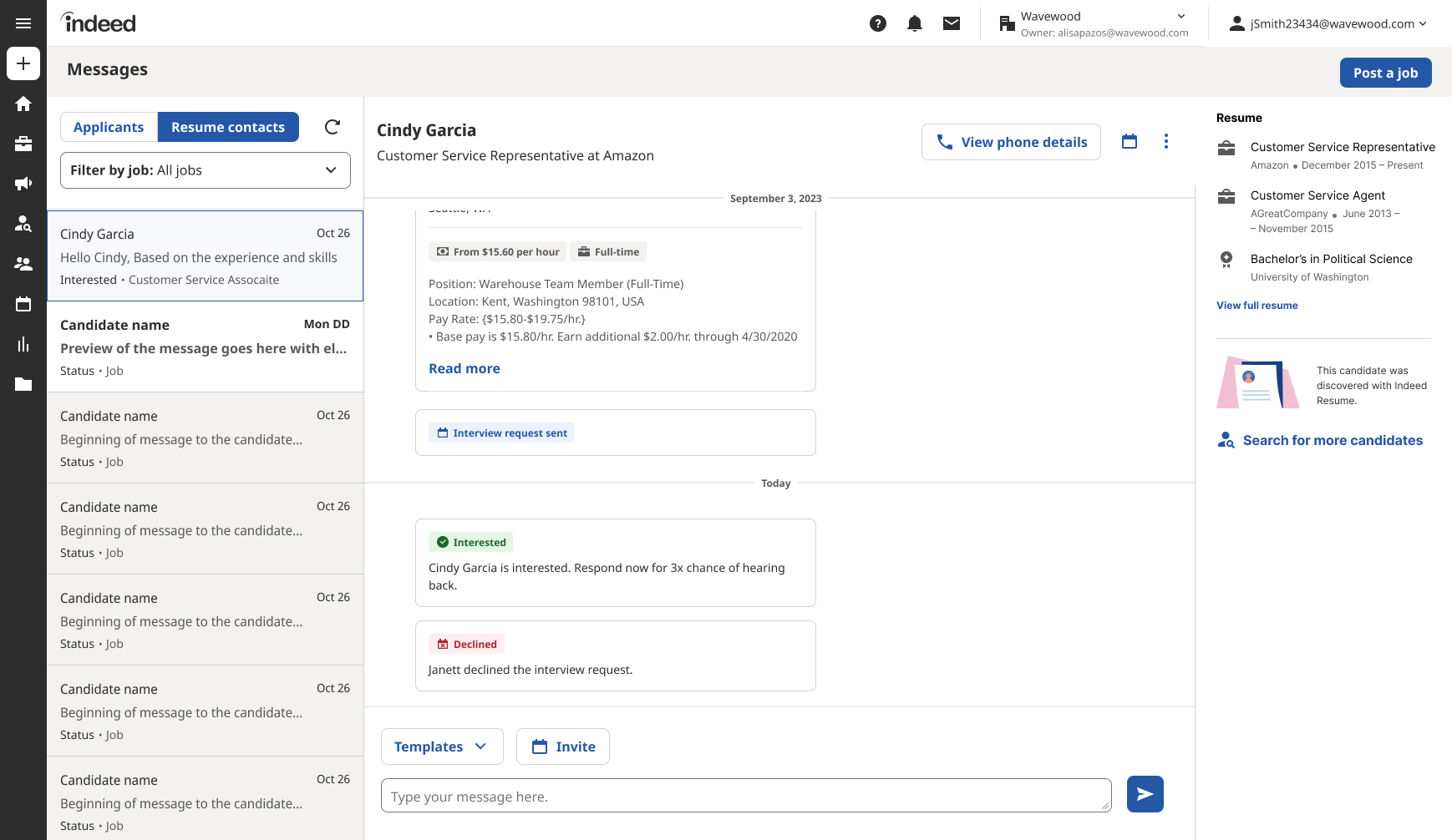
Note: The recruiter is informed that the interview invitation was declined. They can then message the candidate to learn more.
If no interview availability was sent to candidate and the candidate is interested…
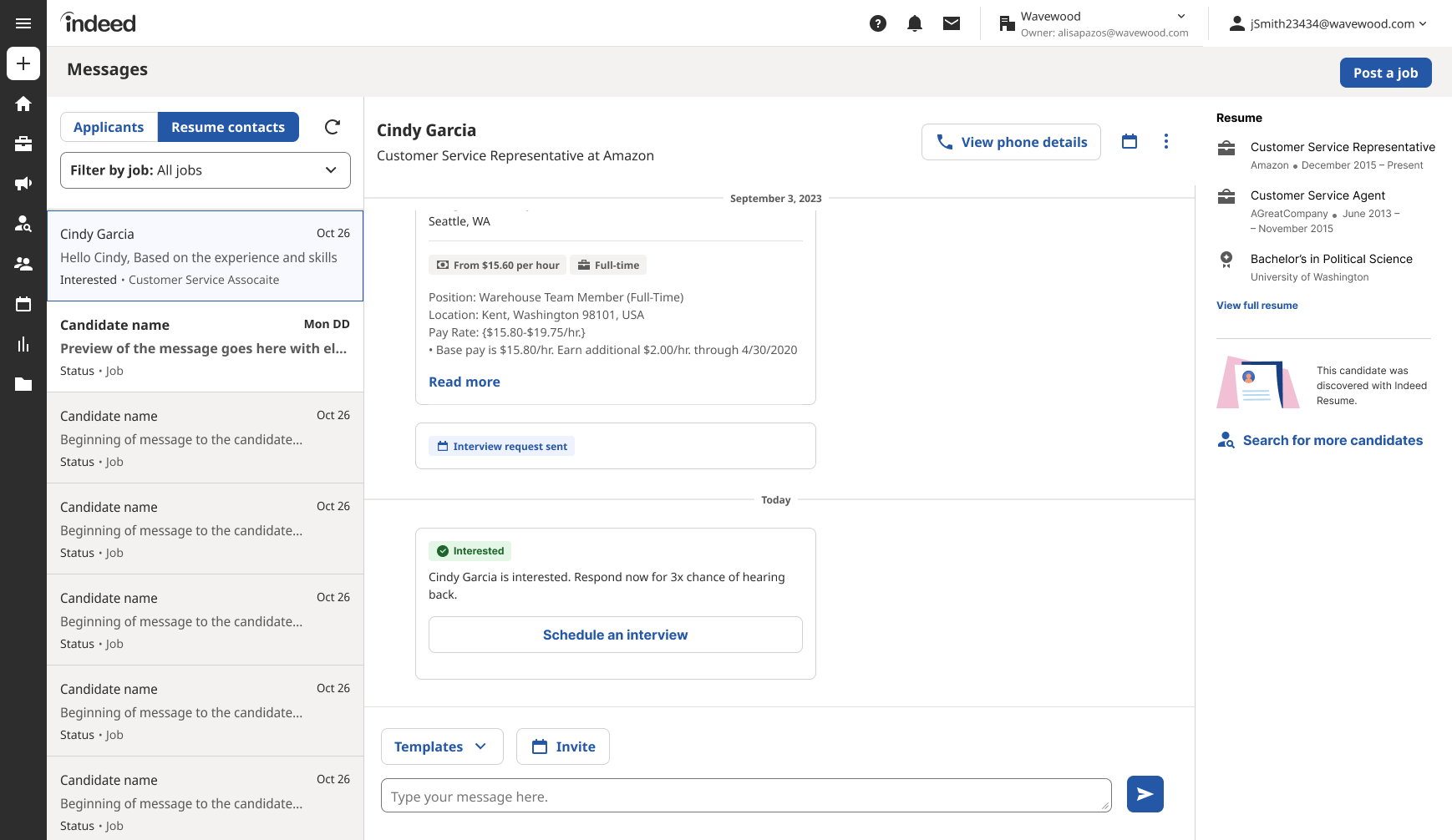
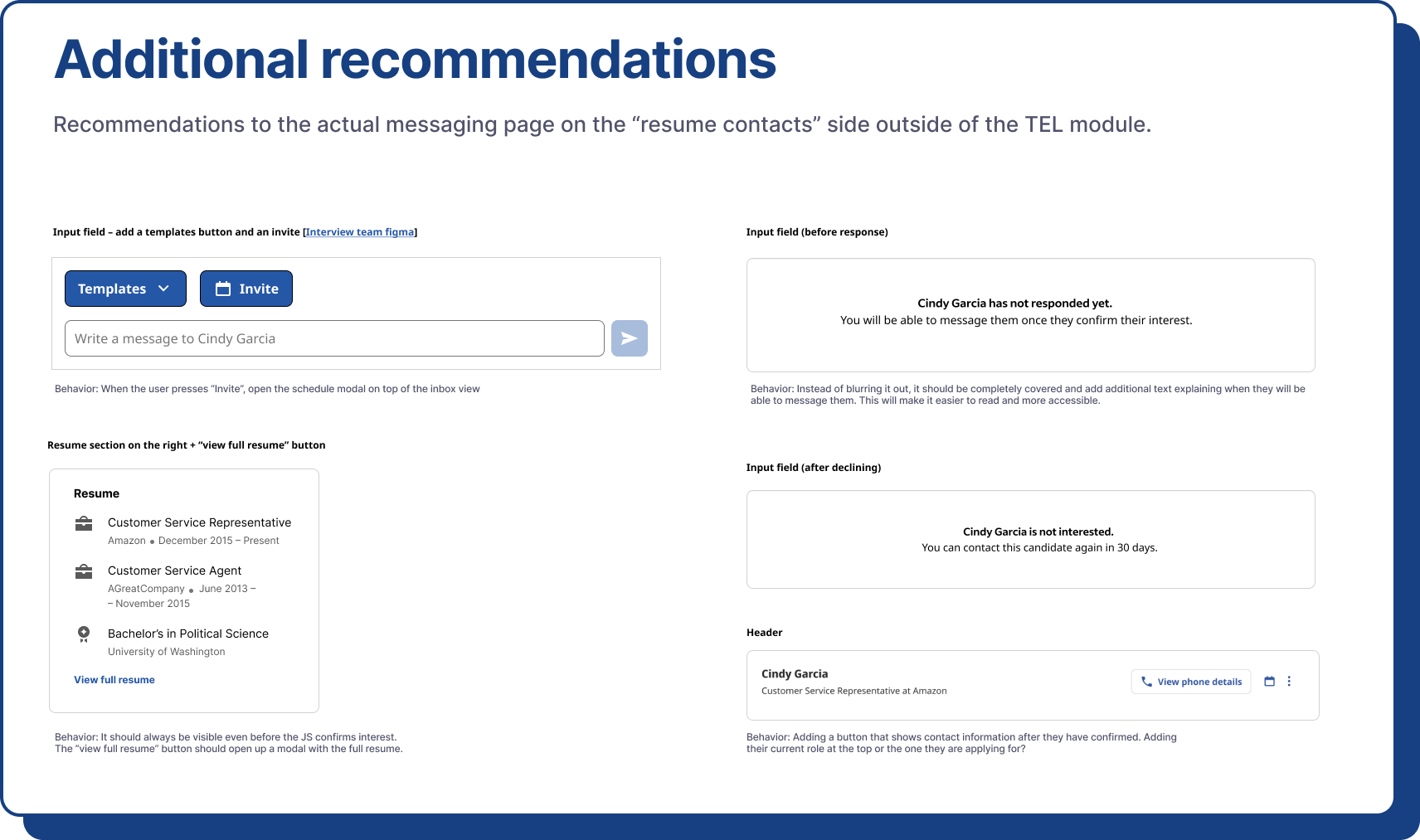
Note: Indeed automatically prompts the recruiter to respond to the candidate and suggests scheduling an interview. They can then send the availability using the Interview team’s flow right from this page. They can also do that using the calendar icon in the header.
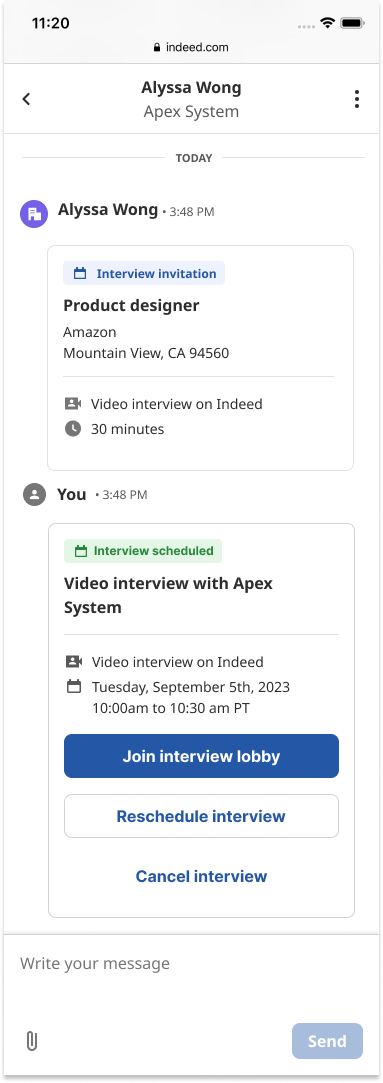
Interview information [Future Improvement 💫 ]
Option to join the interview once it has been scheduled, reschedule it, or cancel it.
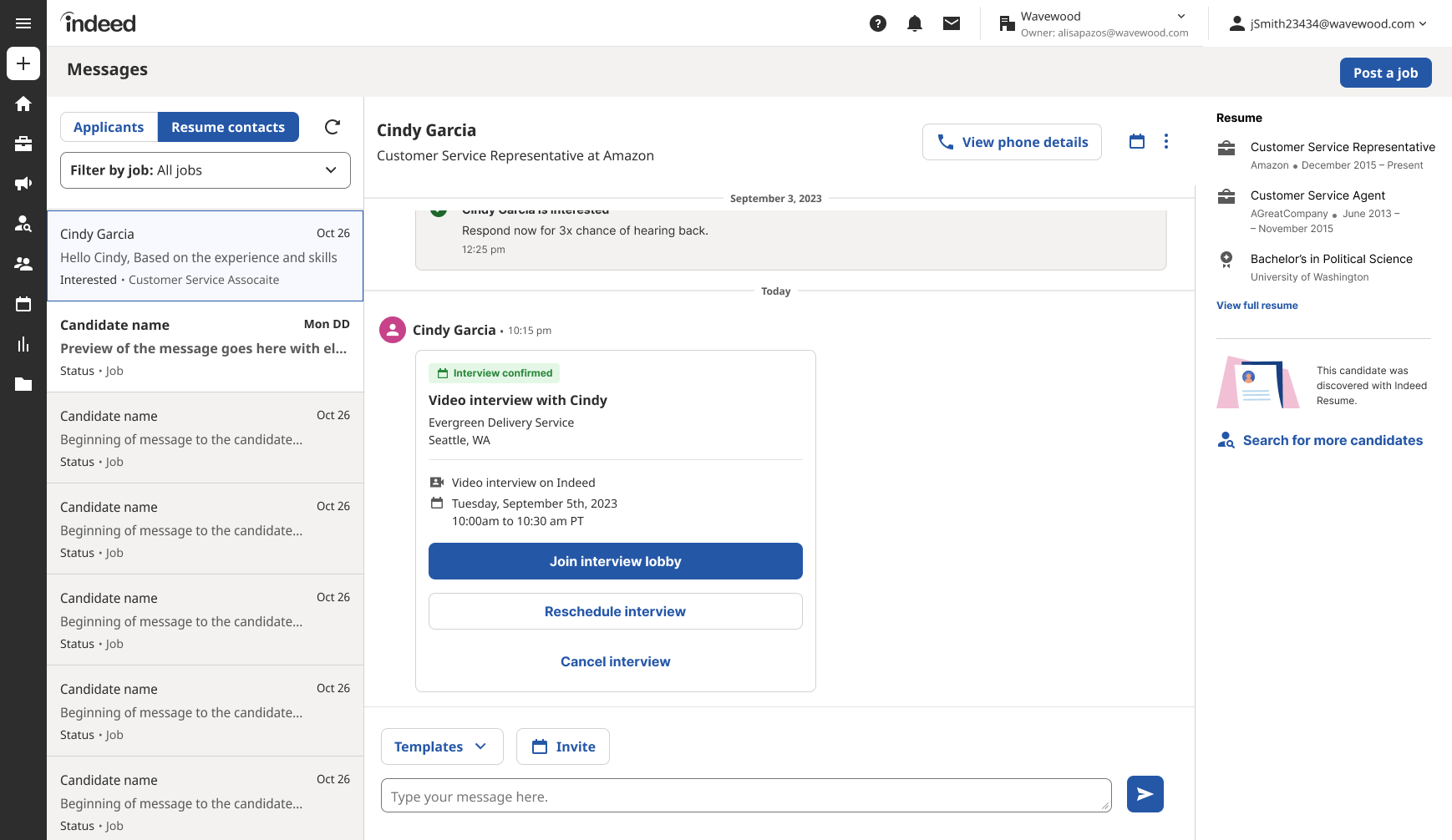
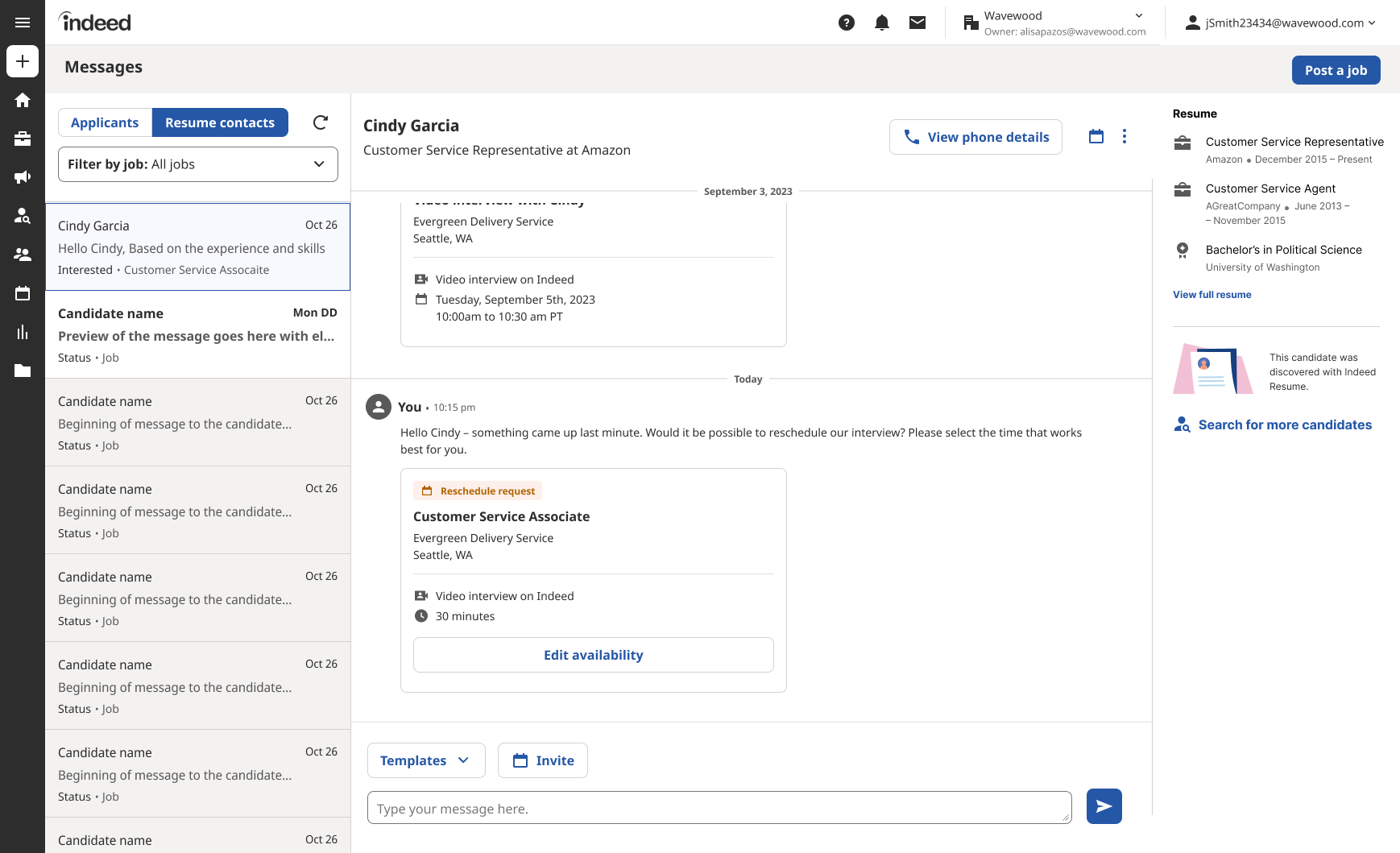
Rescheduling interview
Candidate: Future design 📱
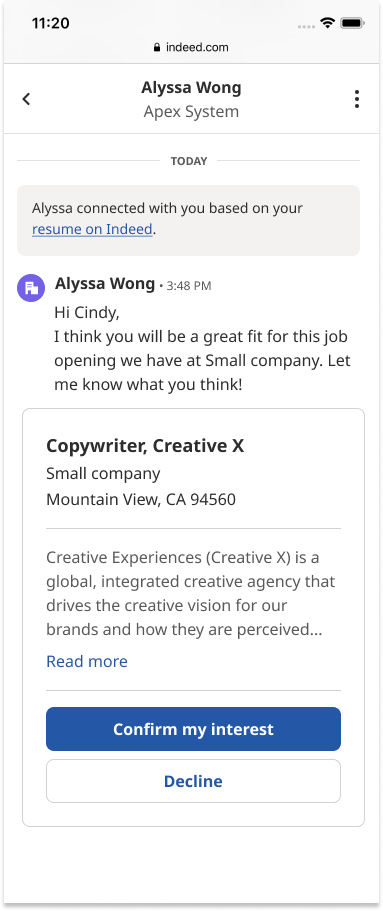
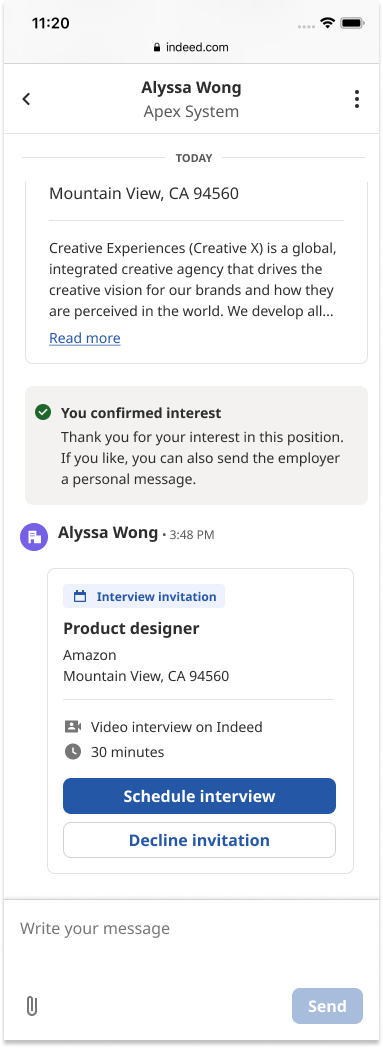
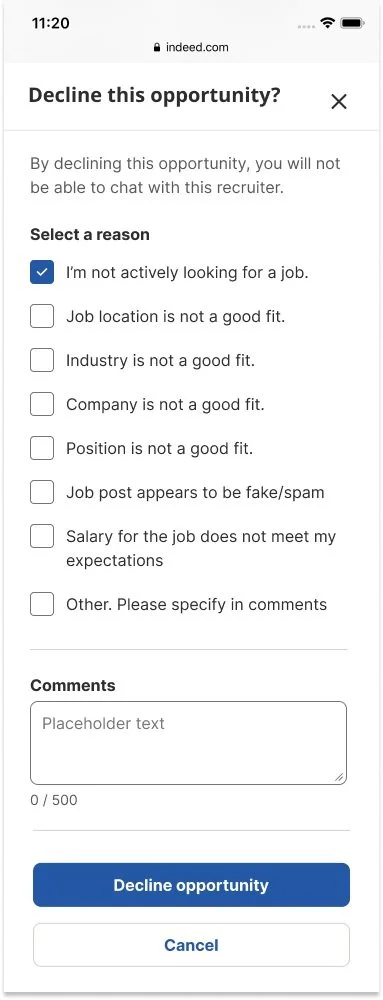
Given that most candidates utilize Indeed on their mobile devices, this design was heavily focused on mobile optimization. Collaborating closely with the Messaging team's designer, we ensured cohesion with the existing Indeed messaging experience by integrating their components and scheduling regular design review sessions. Additionally, I prioritized addressing error states and revamped survey forms to be responsive, ensuring a seamless and user-friendly experience across various screen sizes and devices.
Complete Flow
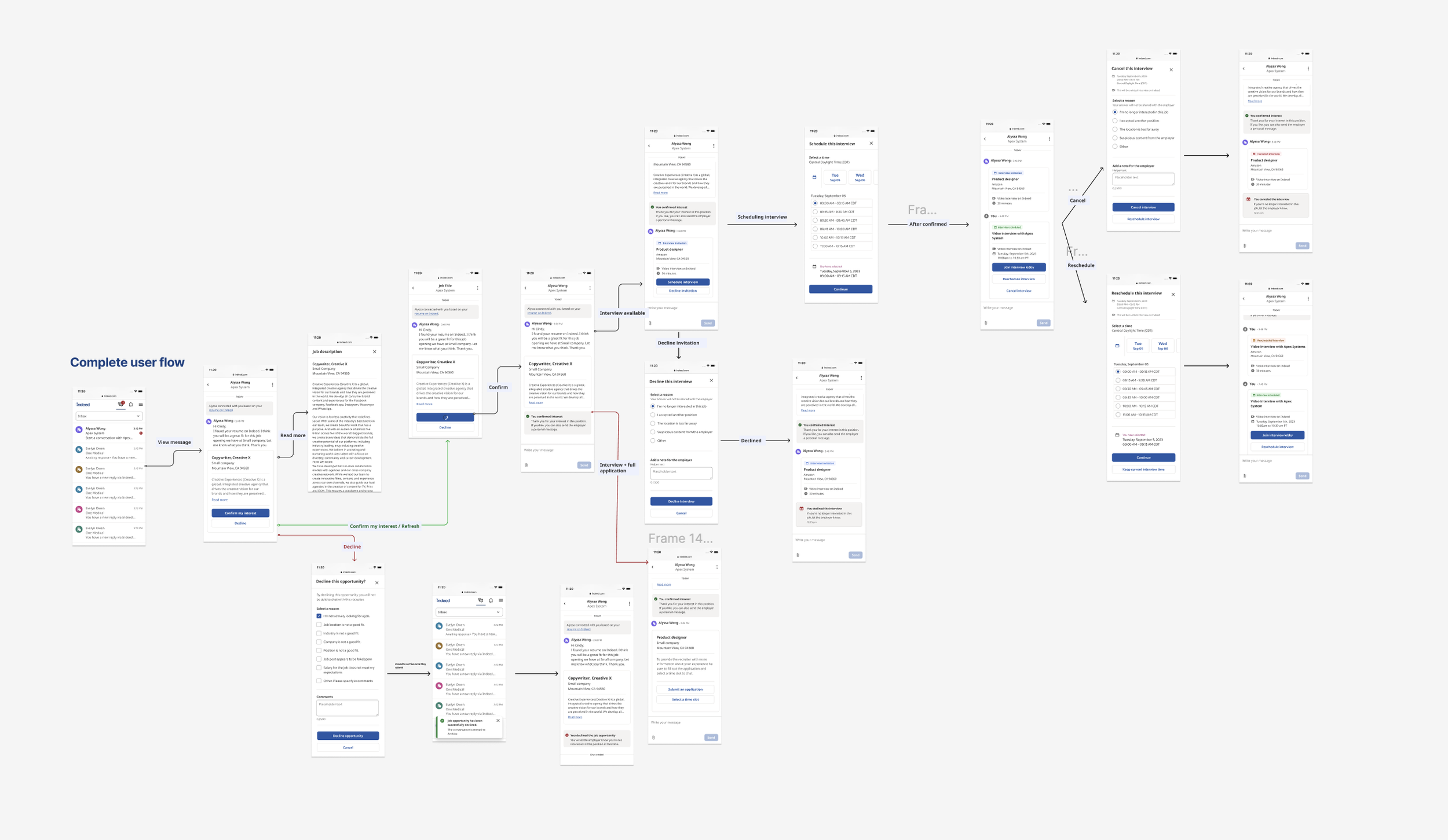
Invite received
Note: Candidate can only confirm or decline interest. They can not message recruiter.
Application
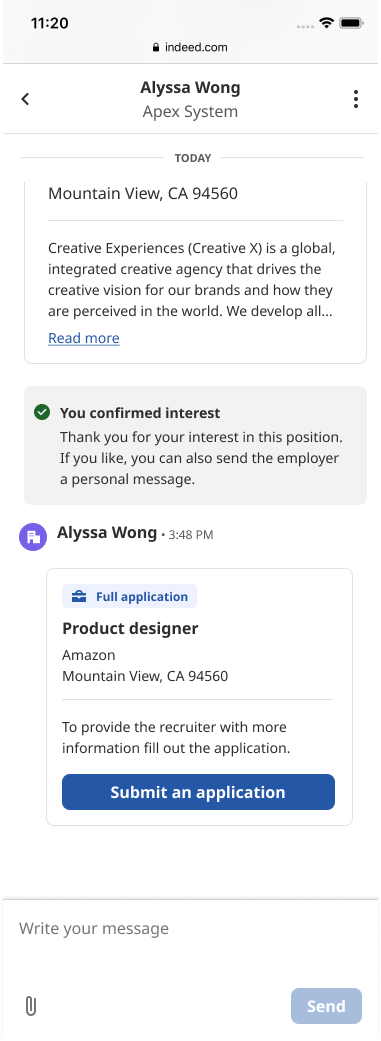
Note: If it was sent with the original invite then it will automatically appear after the candidate confirms interest.
Confirmed interest
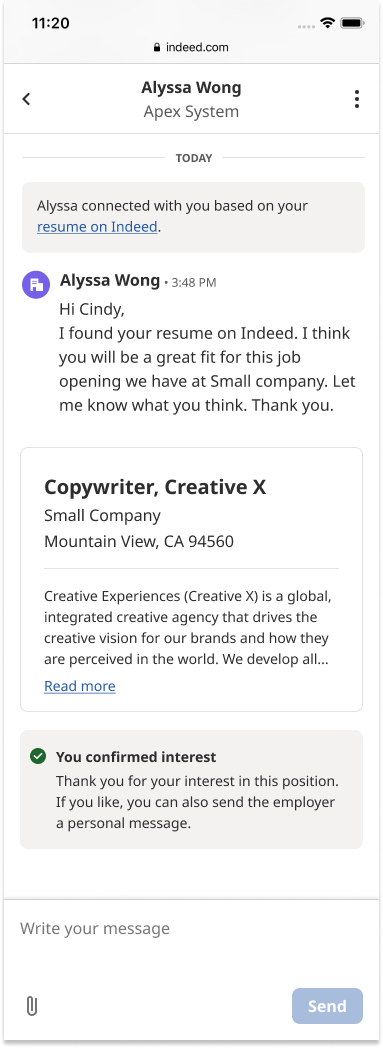
Application + Interview
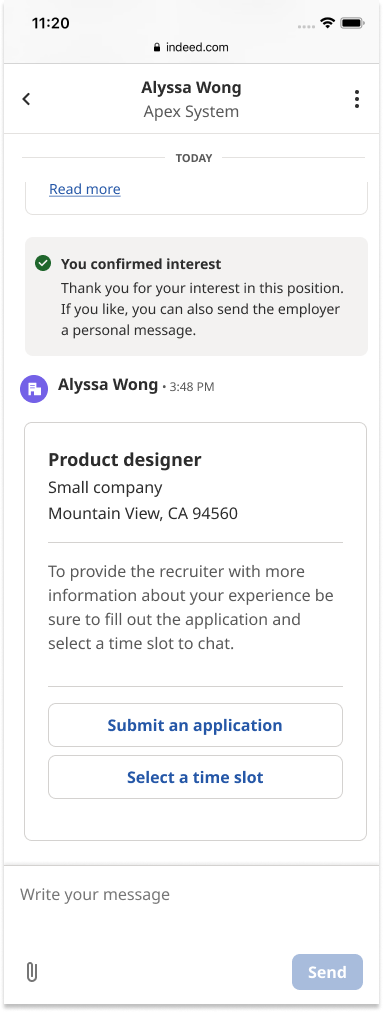
Note: If it was sent with the original invite then it will automatically appear after the candidate confirms interest.
Declined
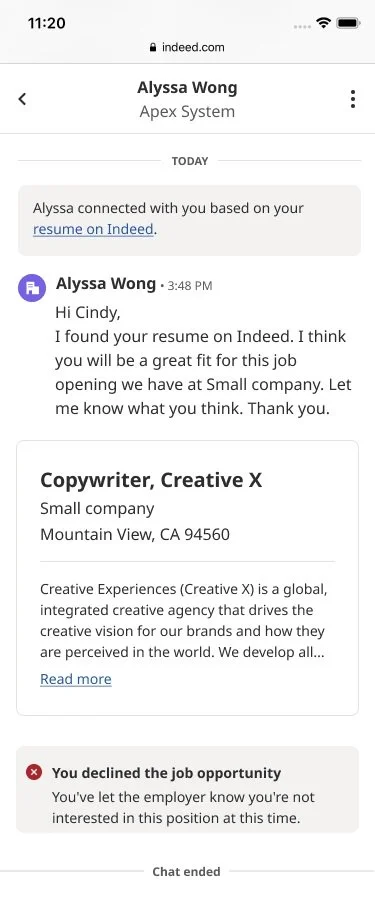
Interview availability
Decline survey
After scheduling interview
Dev Handoff Specs 🤝🏼
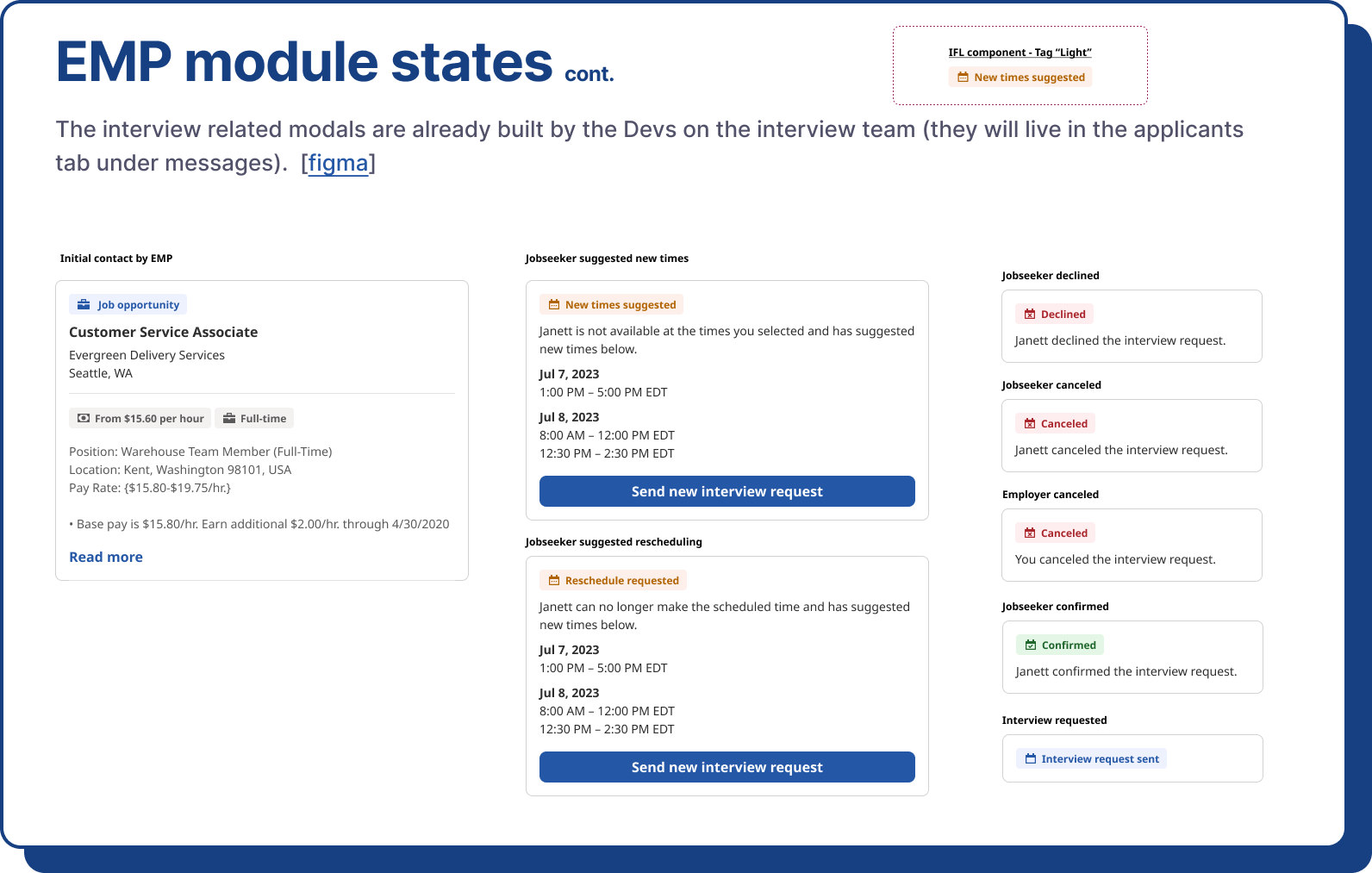
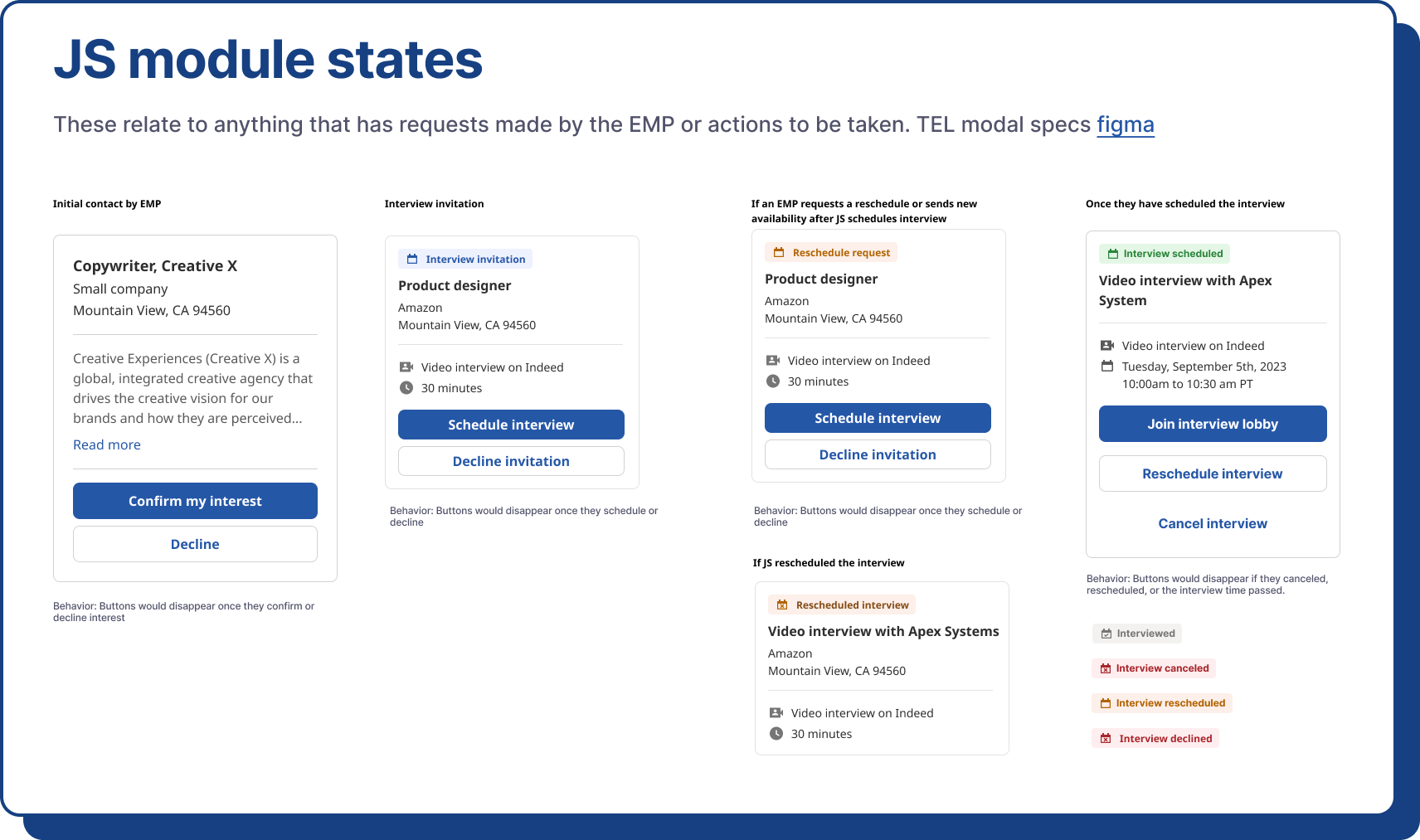
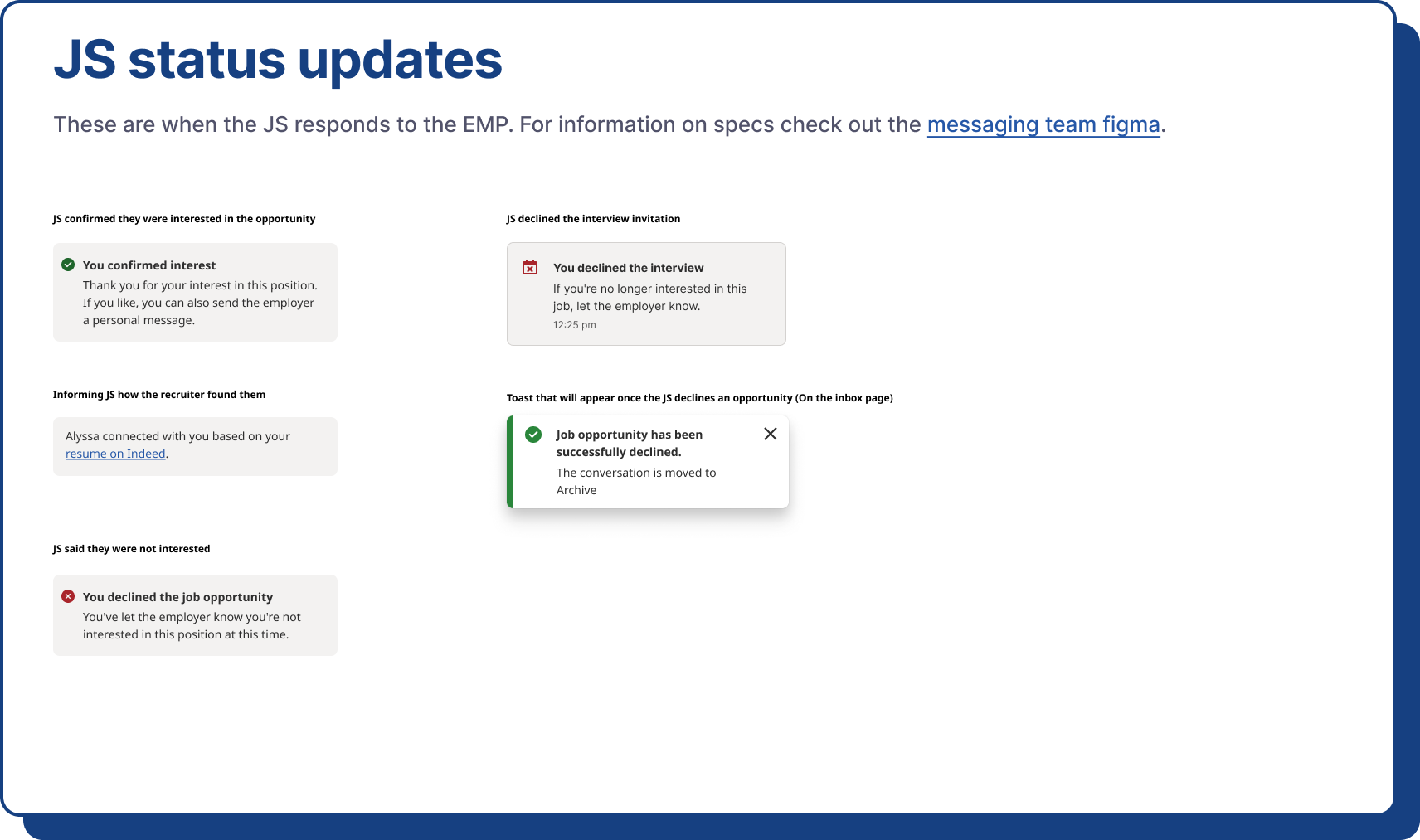
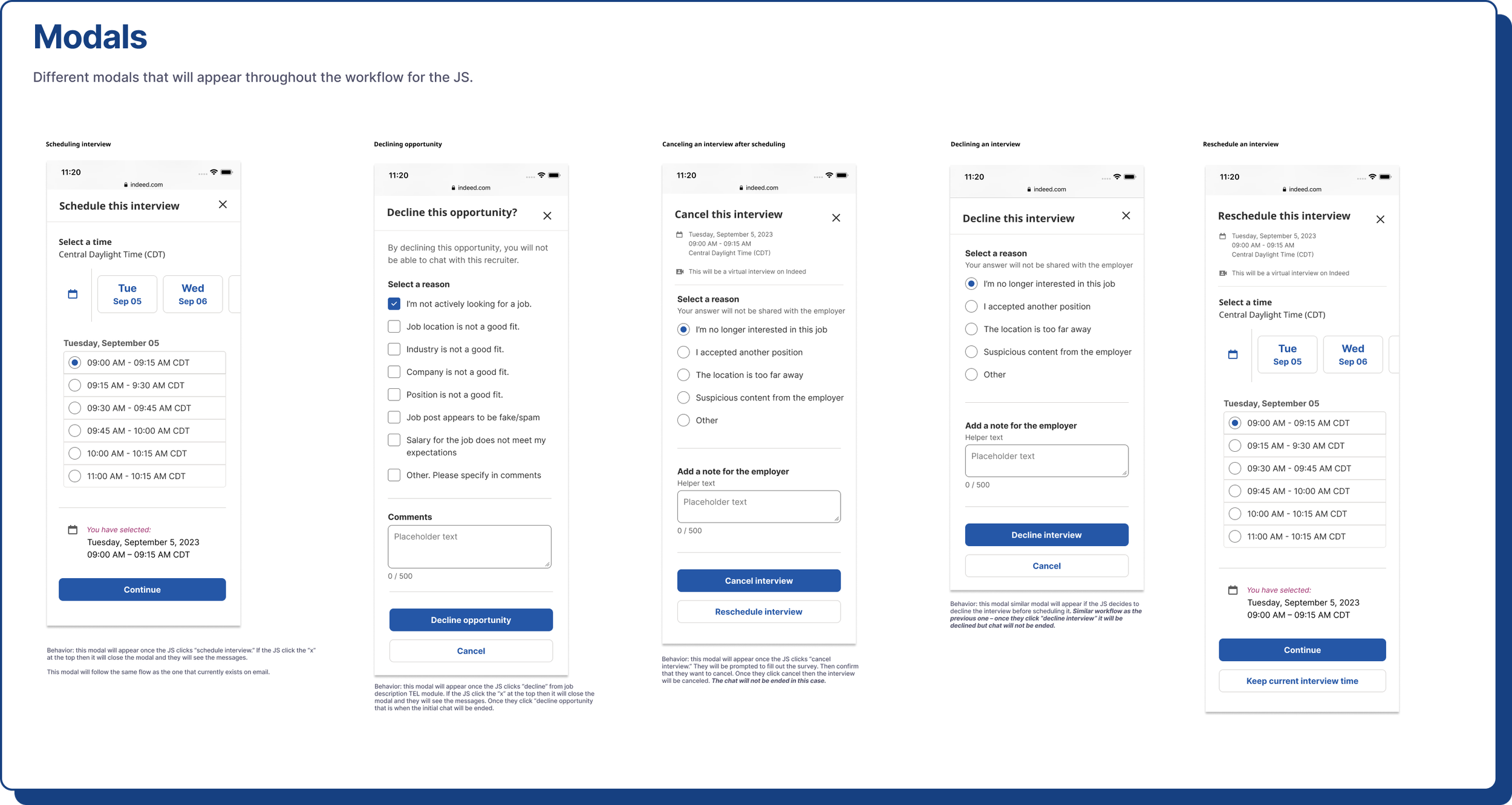
I created detailed specs, focusing on the main components to promote clarity, consistency, and alignment with our design intent throughout development. This approach improved collaboration, reduced risks, and contributed to delivering a high-quality user experience. Additionally, it facilitated communication with developers from other teams and will be valuable for future reference and design iterations.
Step 1 – Recruiter Specs
Step 2 – Jobseeker Specs
Takeaways 📝
Working on this project was truly fulfilling because it provided me with the chance to collaborate closely with designers from various teams, ensuring a seamless user experience. I made sure that my designs catered to all entry and exit points, paths, and potential error states in the hiring process. Moreover, I tackled technical hurdles by partnering with the Interview team, especially concerning interview scheduling aspects.
There were 2 features we postponed:
Adding the interview detail – Since the Interview team was concurrently integrating the experience into messages, we opted to postpone building it and instead utilize their code once it was finalized. This decision allowed me to refine my designs further and offer valuable insights to the Interview team's designer.
Automated suggestions – While this feature promises to enhance user experience and streamline conversations, its intricate technical requirements led us to schedule it as a future enhancement.