Subscription Management Discovery & Screen Library Documentation
an initiative to improve administrator experiences through research synthesis, workshops, and structured design documentation
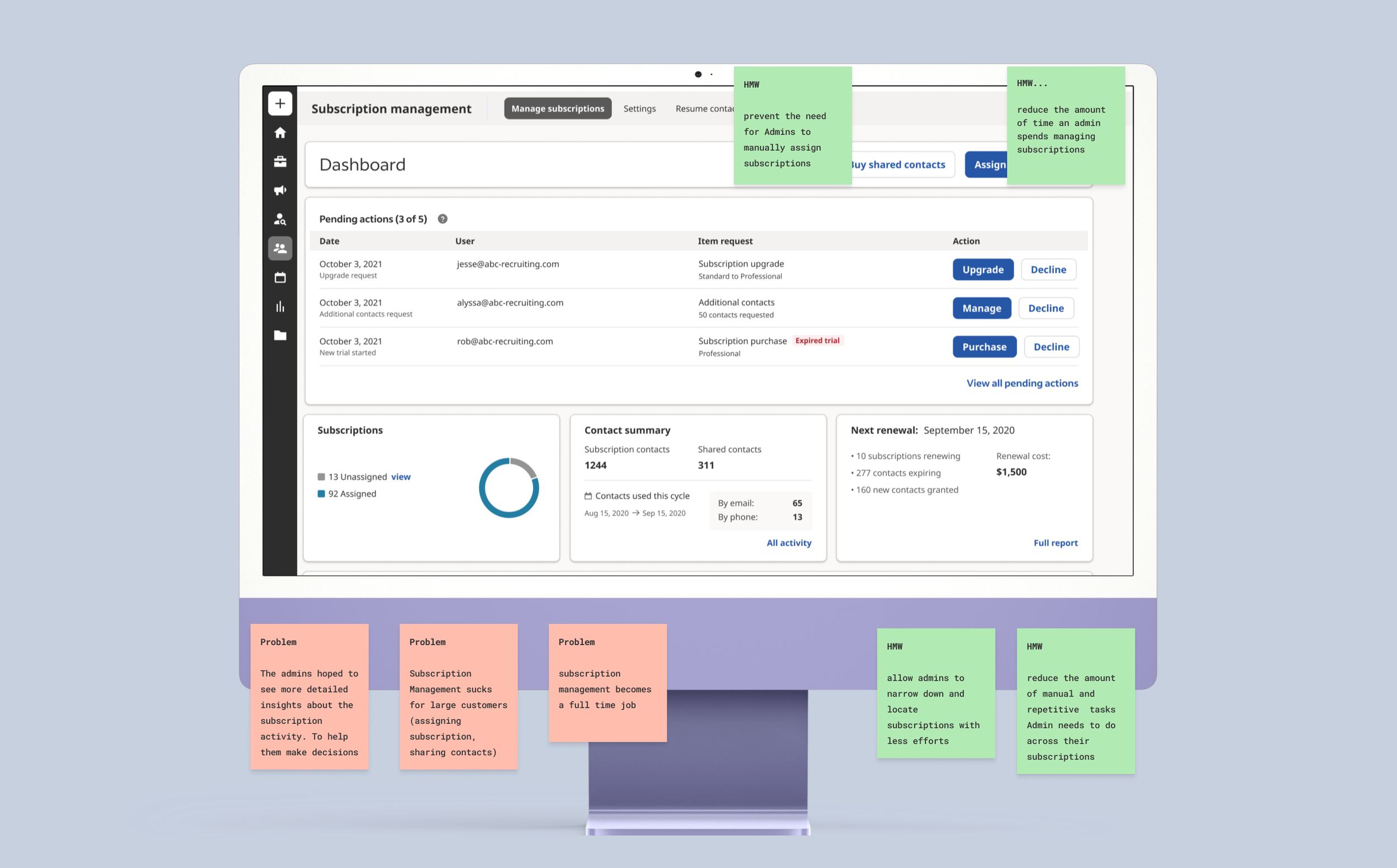
Overview 💥
Company | Team : Indeed, Subscriptions Management team within Resume Search [aka. Smart Sourcing]
Involvement: Synthesized previous research, created an overview document, built a unified screen library, and led a workshop
Summary: I synthesized previous research findings into a comprehensive overview document, which became the foundation for a collaborative workshop I led. During the workshop, I facilitated discussions and activities to generate actionable suggestions addressing key challenges and opportunities identified in the research.
In addition, I built a unified screen library and documented components and user flows, transforming a fragmented design space into an organized, accessible system. These tools empowered cross-functional teams, improved collaboration, and maintained design consistency and scalability as the product grew.

Compiling Research 🔎
I consolidated the research findings into a comprehensive Google document that encapsulates all aspects of subscription management. This document includes details on team members, goals, surfaces & pages, user problems, insights, and recommendations. Utilizing this research compilation as the foundation, I facilitated a discovery workshop where we delved deeper into the findings and collectively explored potential strategies and solutions.
Step 1 – Analyzing Research
I reviewed 3 years' worth of research spanning Subscription Management, Admin Management, and Resume Search. This deep dive allowed me to distill key insights, including understanding our users, their objectives, recurring pain points, and potential opportunities for improvement. Additionally, I identified evidence of metrics that could be enhanced, providing a comprehensive understanding of the landscape to inform strategic decisions and design iterations.
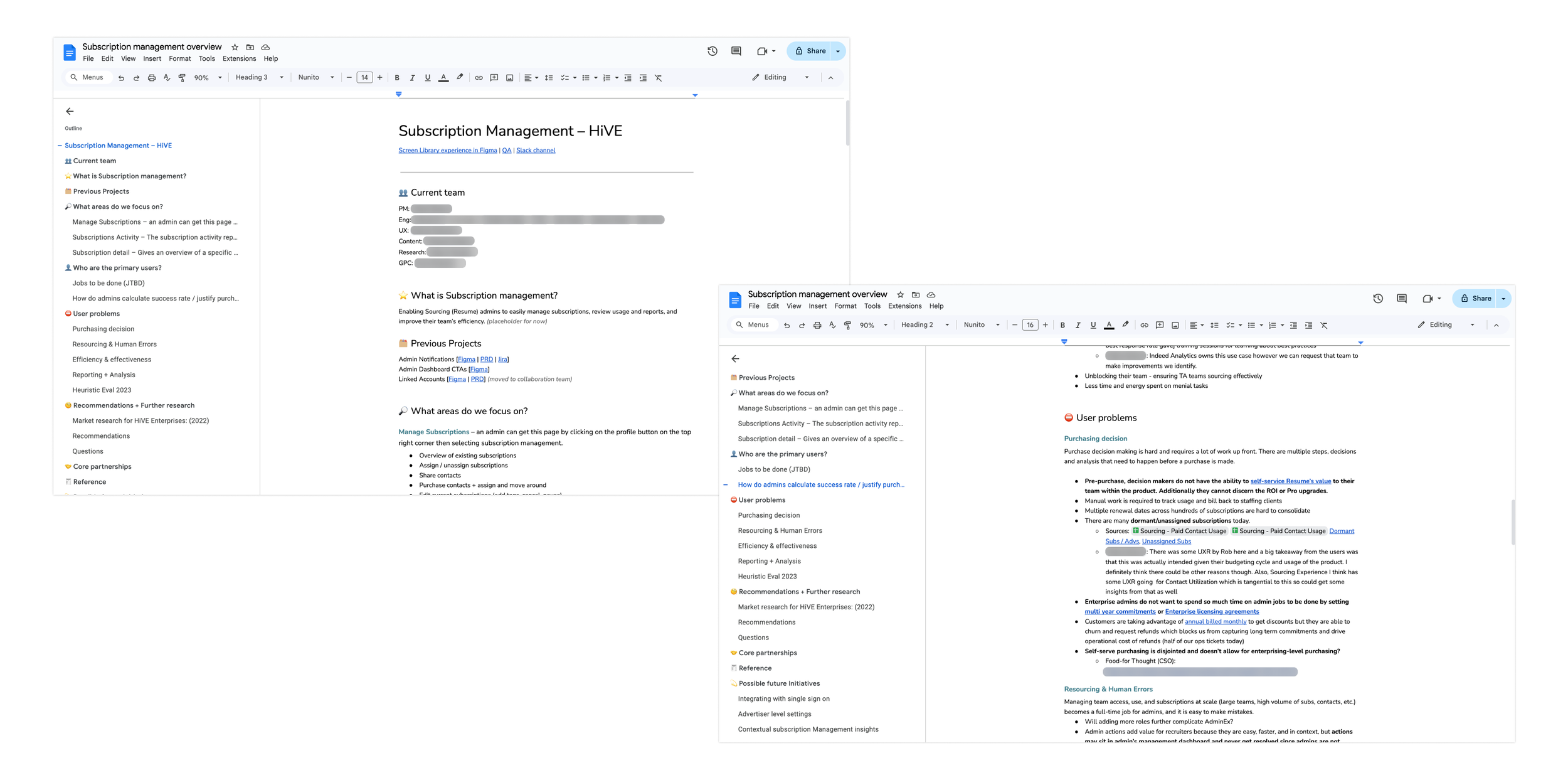
Step 2 – Socializing Subscription Management Overview
Following the compilation of research, I shared it with key stakeholders, including the Product Manager, Product Director, Developers, UX Managers, and other interested designers. This document served as a cornerstone for key initiatives and discussions surrounding Subscription Management, providing valuable insights to inform decision-making and drive strategic direction.
“Thank you so much for putting this together! It really helps to understand the problem space and plan for the coming quarters. ”
Leading a Workshop 👩🏽💻
I led a 1 hour and 30-minute workshop attended by four developers, the Product Manager, the Engineering Manager, and a member from GPC (Global Product Classification). Each participant brought a unique perspective to the table, with many having extensive experience on the Subscription Management team. This diverse group allowed for rich discussions and insights, enhancing the depth and breadth of our exploration during the workshop.
Step 1 – Setting the stage
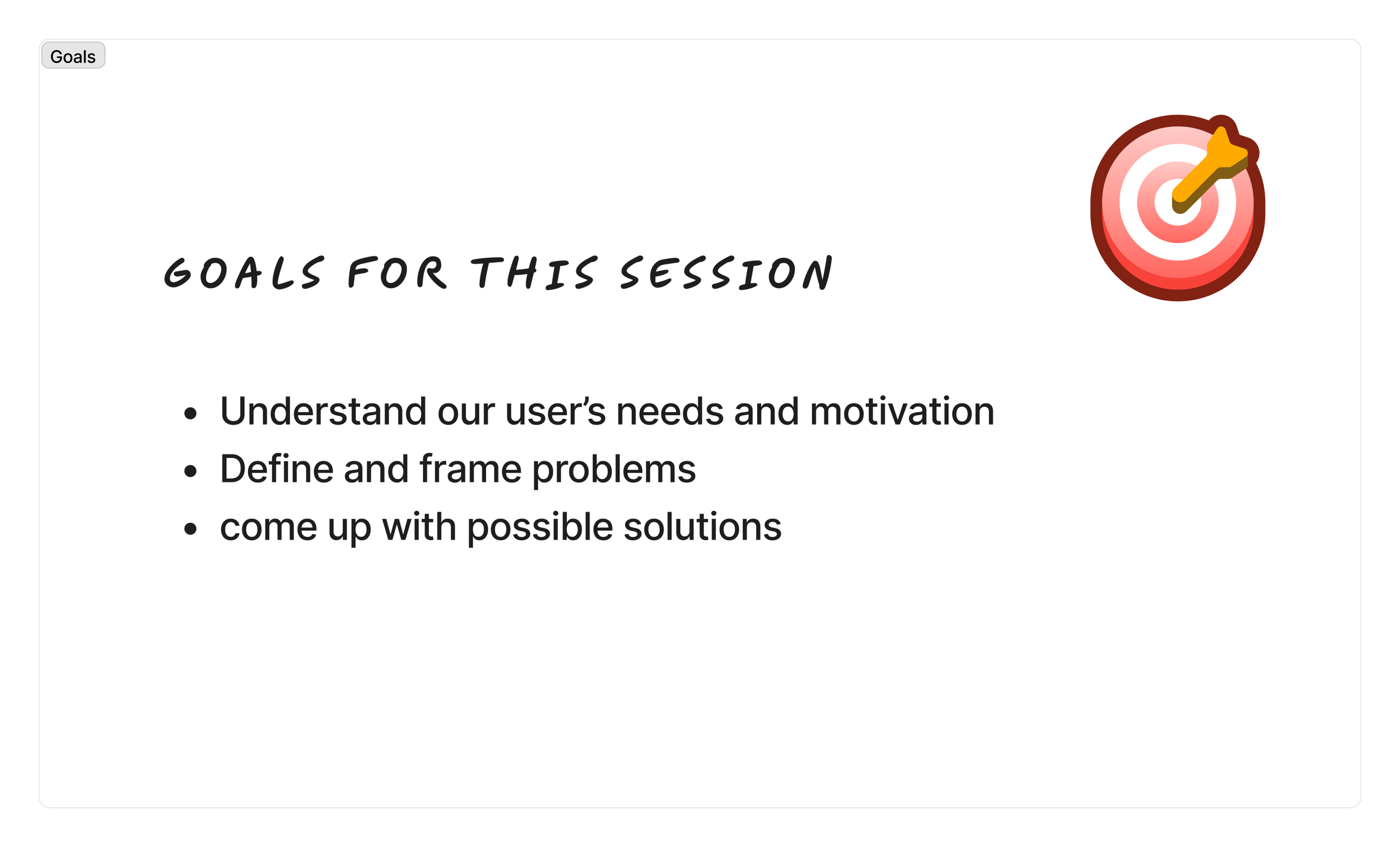
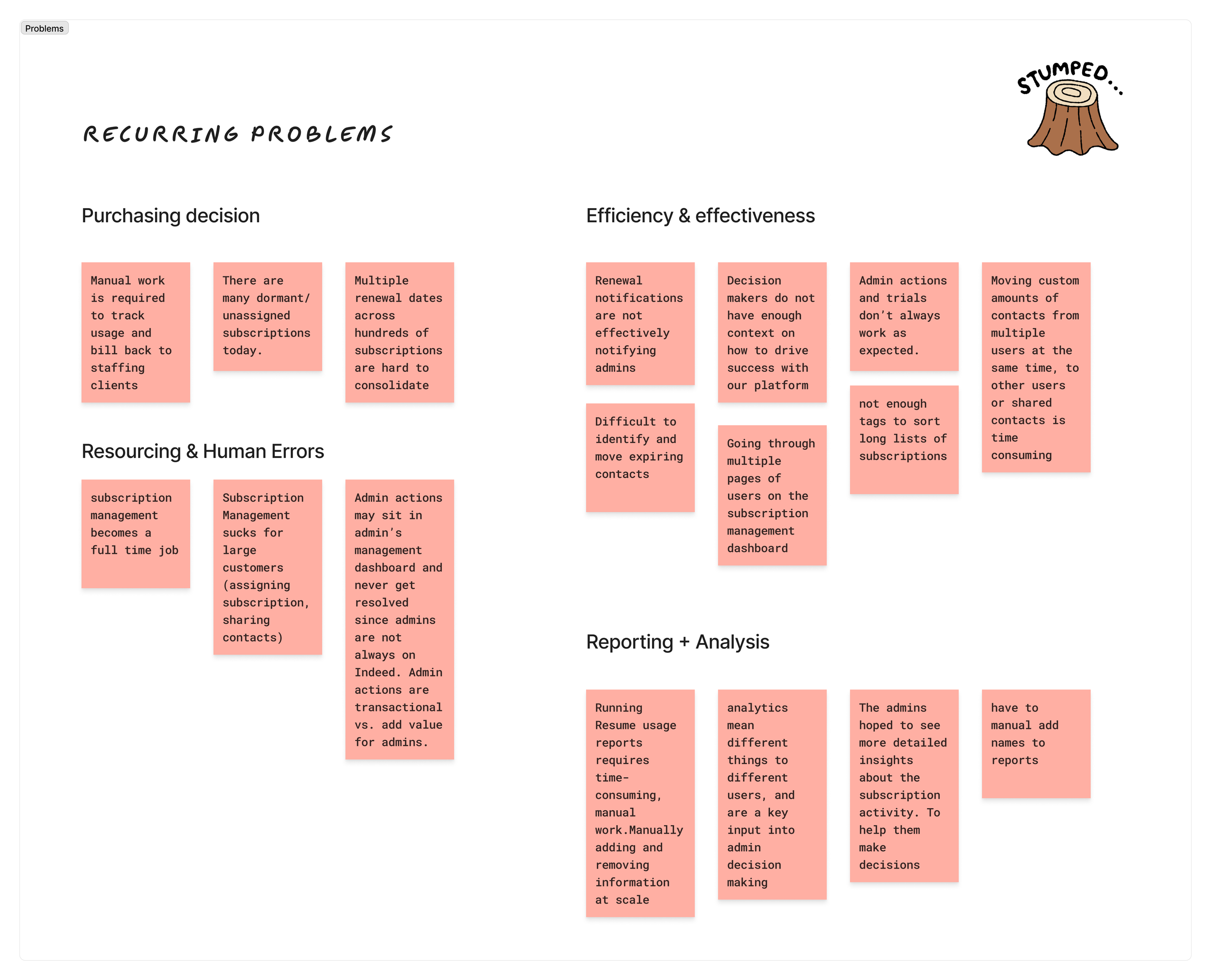
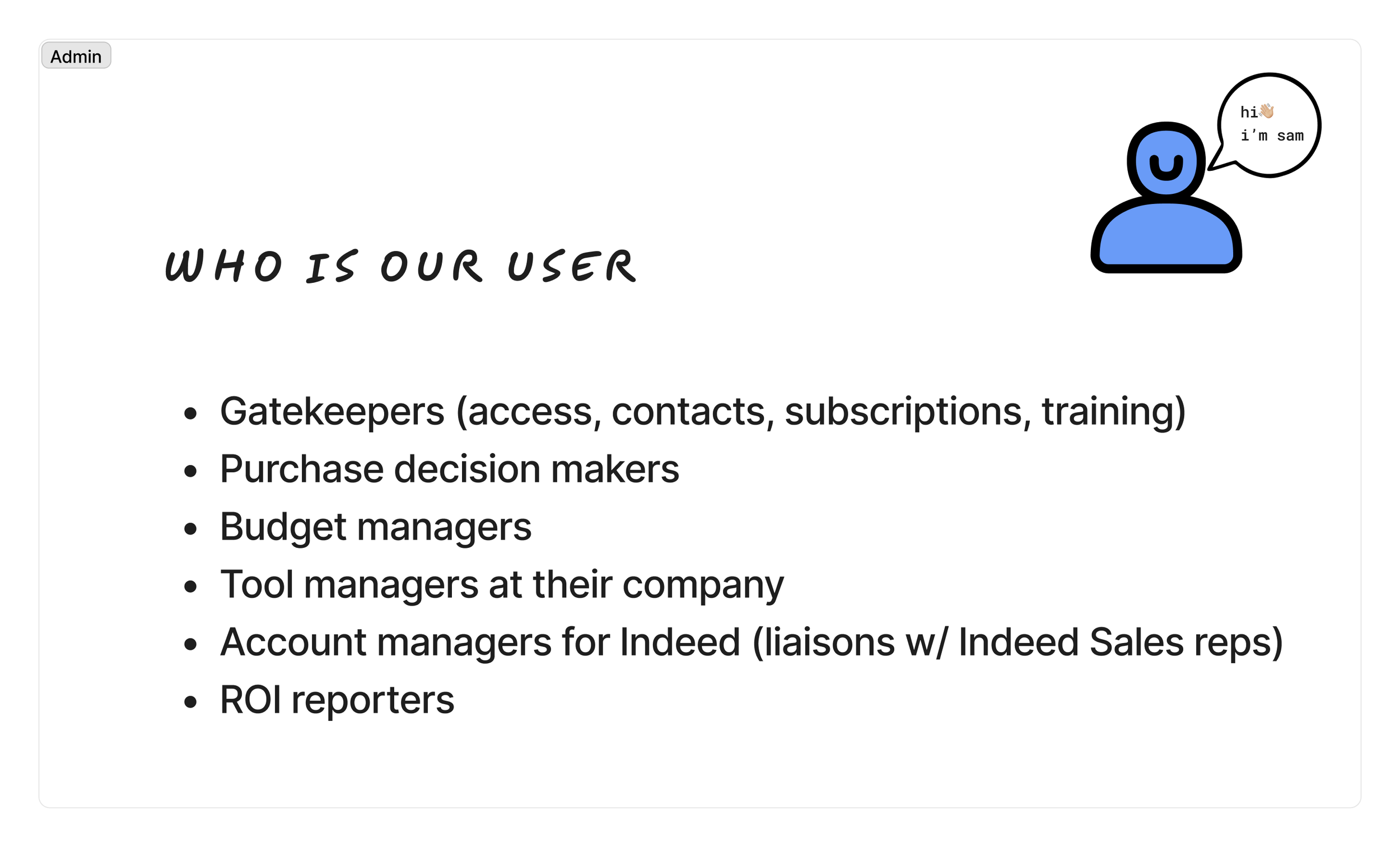
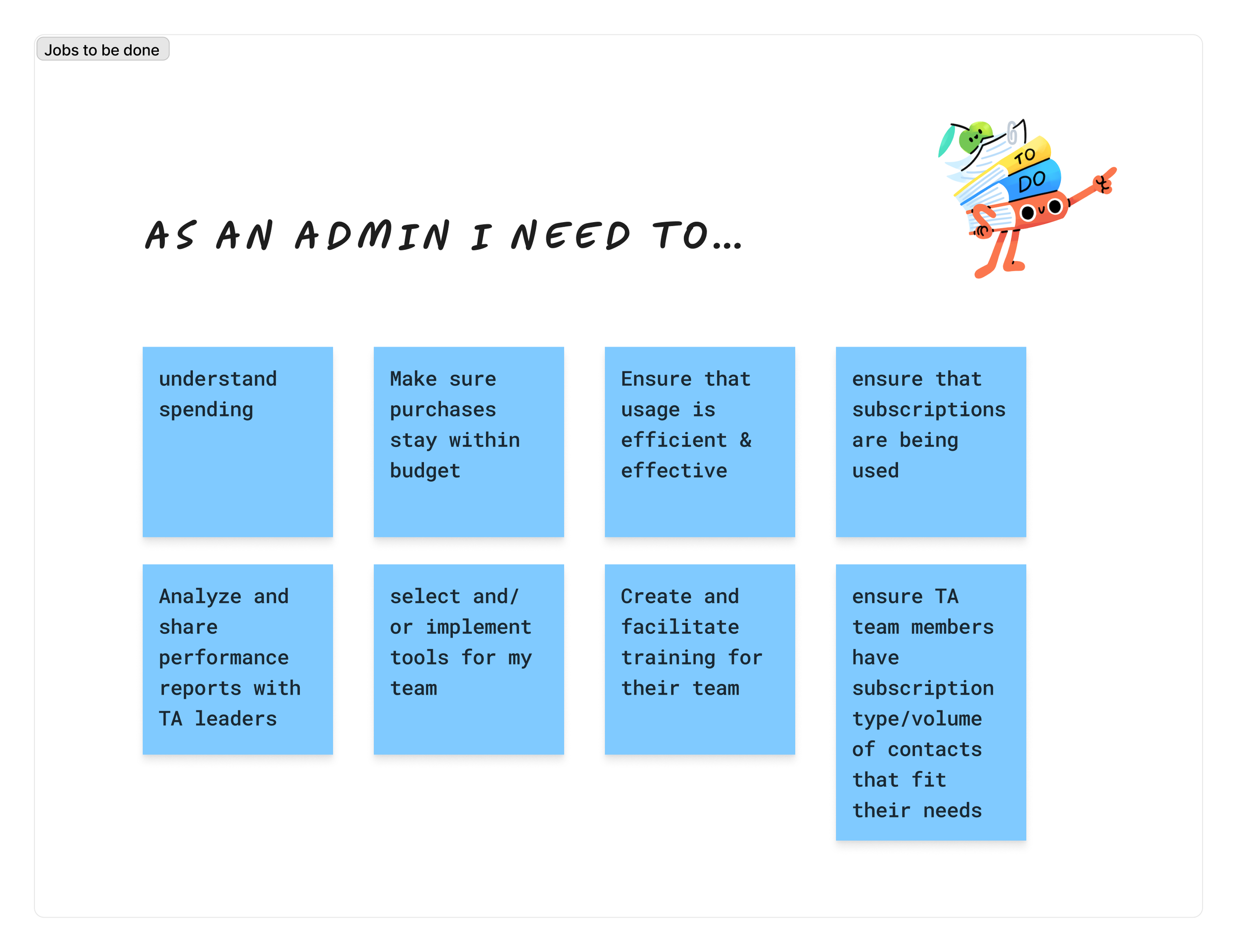
Prior to the session, I ensured that all participants received the overview document for review. During the session, I began by outlining the goals we aimed to achieve, delving into a comprehensive understanding of our users, their objectives, and the challenges identified in previous research. Additionally, I encouraged my coworkers to contribute any additional problems or insights they identified.
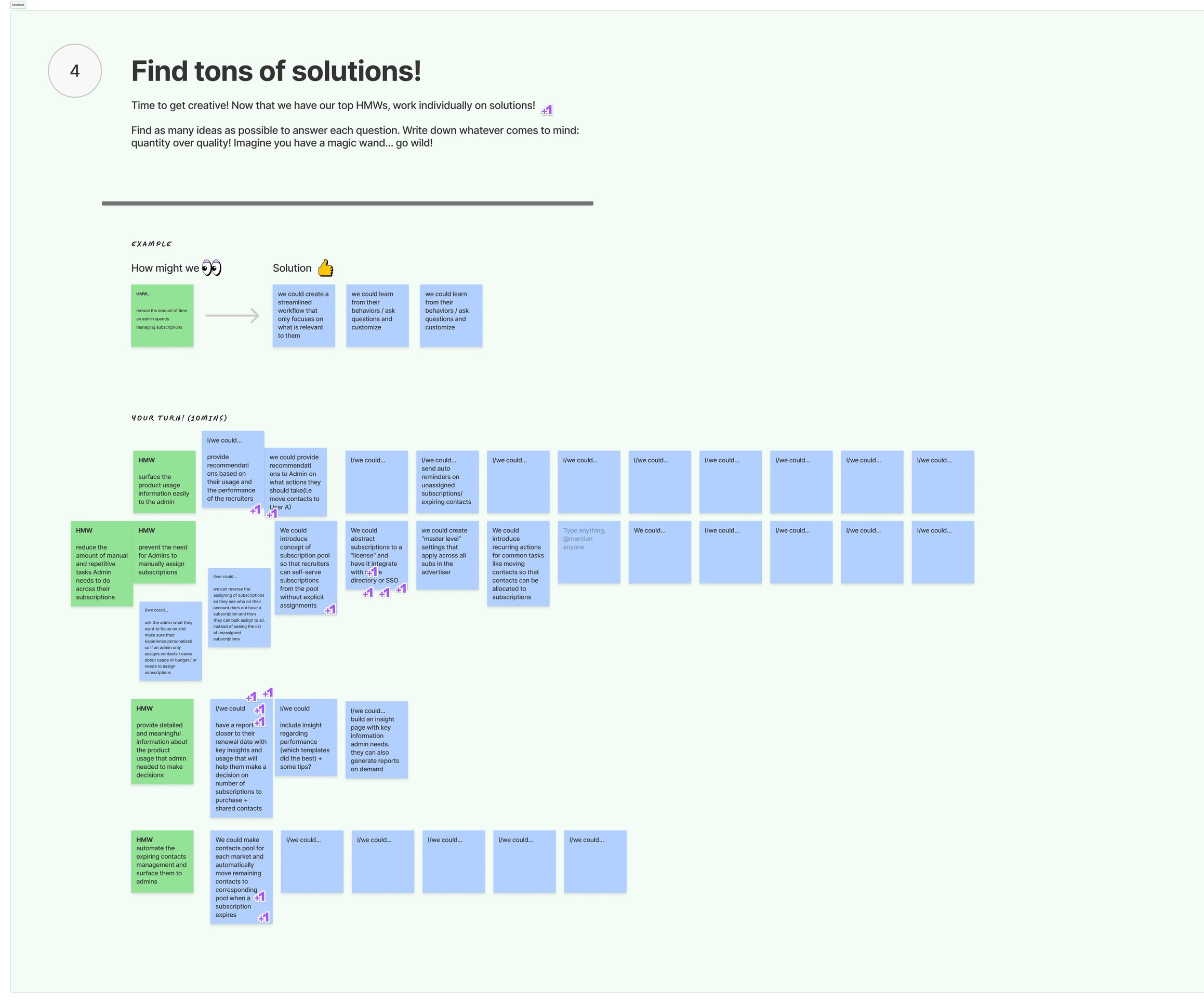
Step 2 – HMW, Solutions, Voting
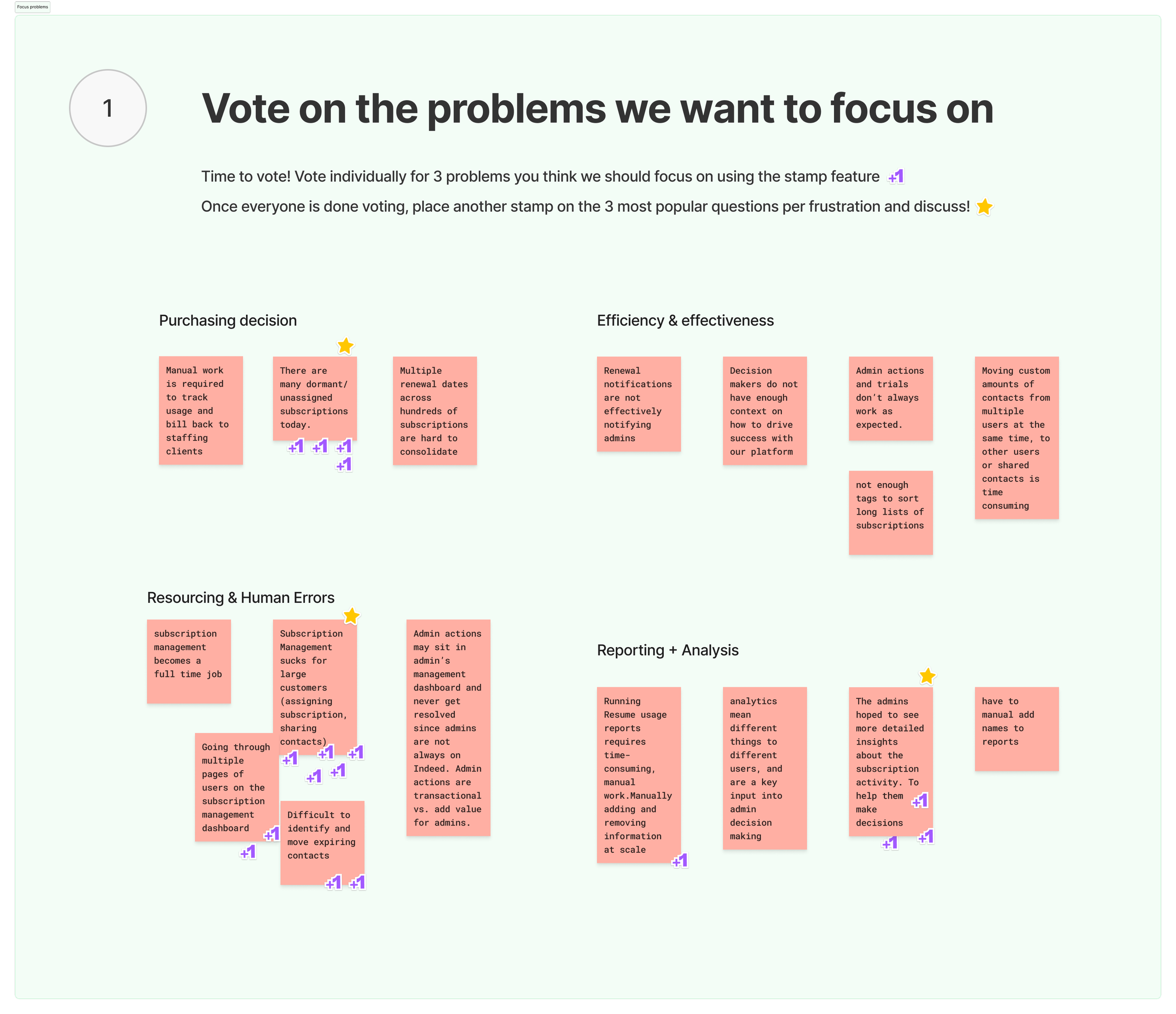
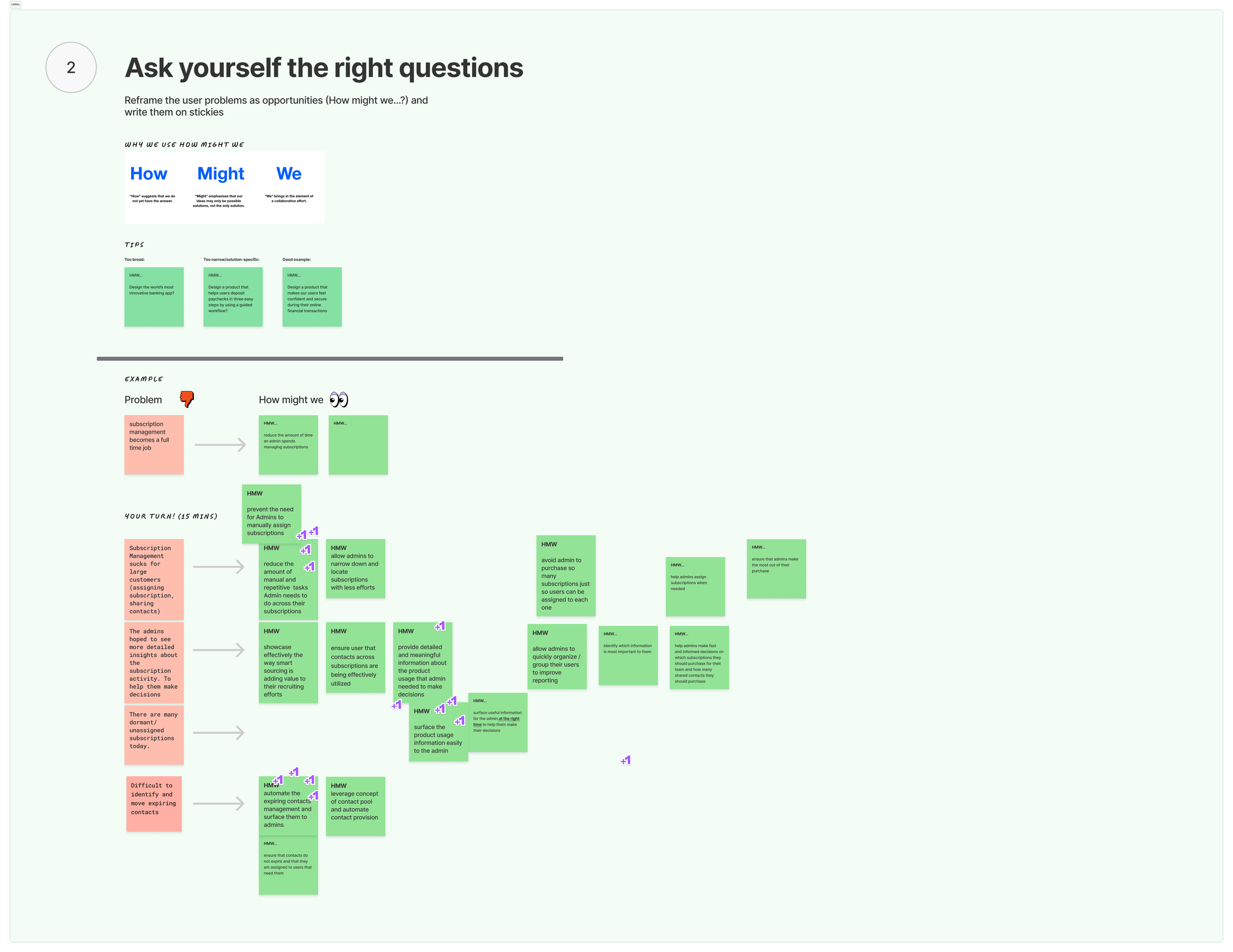
Afterward, we collectively voted on the top three problems we deemed critical to address. Each participant was then allotted 10 minutes to reframe these problems as opportunities using "How Might We" statements. Following this, I facilitated the grouping of sticky notes based on common themes, and we voted on the top three clusters. Subsequently, everyone spent 20 minutes generating a myriad of solutions. Finally, we engaged in a brief discussion to highlight noteworthy insights and observations from the brainstorming session.
Step 2 – Prioritize Findings
After the workshop, I scheduled a meeting with the Product Manager and Engineering Manager to evaluate which solutions were feasible and would have the most significant impact on improving and simplifying subscription management. This collaborative session allowed us to prioritize actionable strategies that align with our goals and capabilities.
Simplifying purchasing and assigning contacts
Explore and test different experiences for XXL employers with +1000 subscriptions
Create responsive design
Screen Library 🎬
Before I joined, multiple designers had contributed to the Subscription Management experience, leading to design drift and inconsistencies. There was no centralized design documentation or component reference, forcing teams to recreate screens in QA to understand the actual experience.
I built a unified screen and state library in Figma that became the source of truth for Subscription Management. This system documented every screen state, variation, and flow, linking to relevant components and design guidelines. It provided structure, clarity, and scalability, enabling product, design, and engineering teams to align on a shared visual and interaction language.
This initiative improved cross-functional collaboration, reduced QA cycles, and accelerated onboarding of new team members — directly supporting consistency and adoption across the product ecosystem.
“This is amazing. I am speechless! It will make it so much easier to onboard new people and share designs with teams across Indeed.”
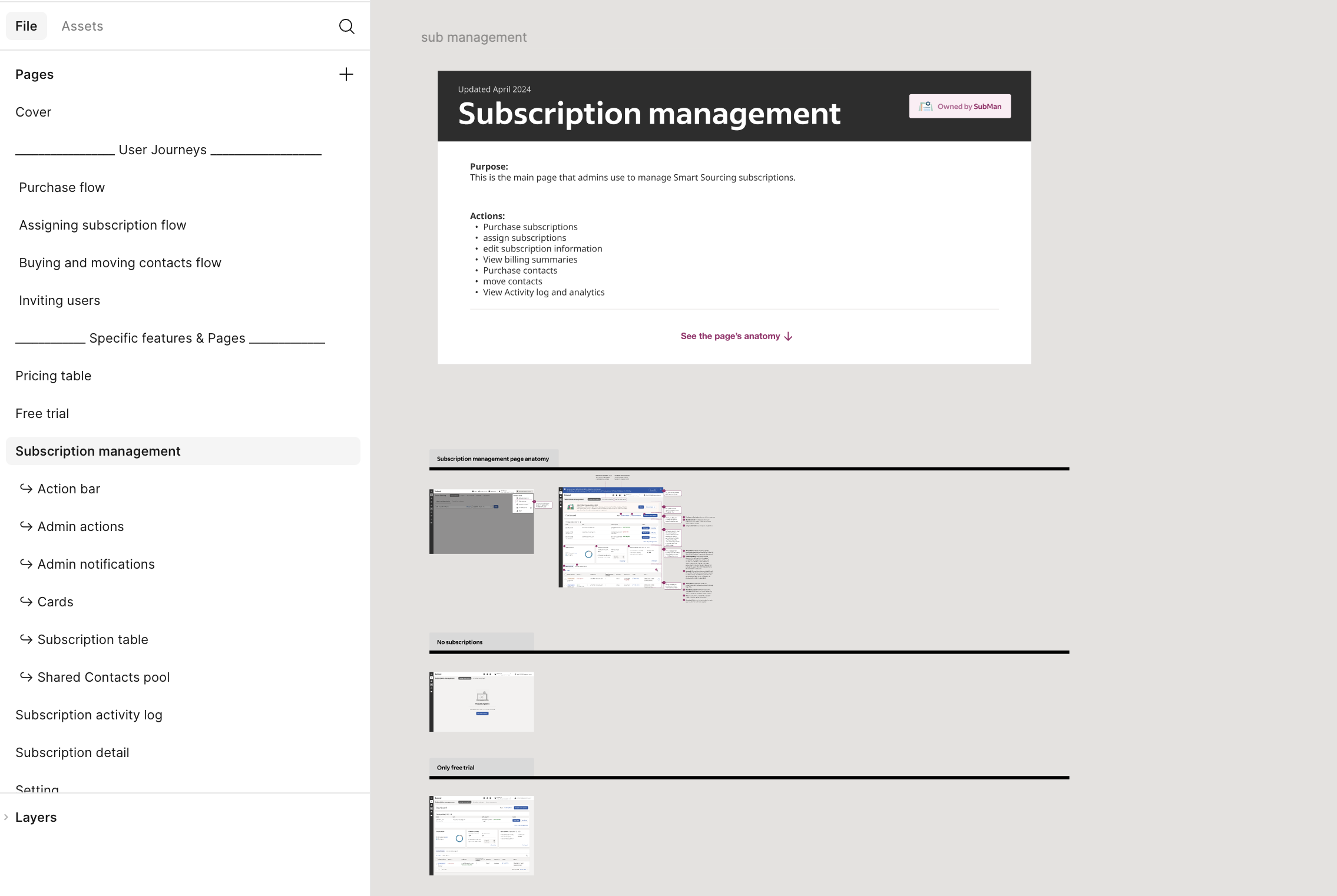
1️⃣ Screen Library Overview
Ability to navigate between user journeys and specific features and pages. Each page includes a header that appears on every page with the purpose and actions on that page and which team owns it
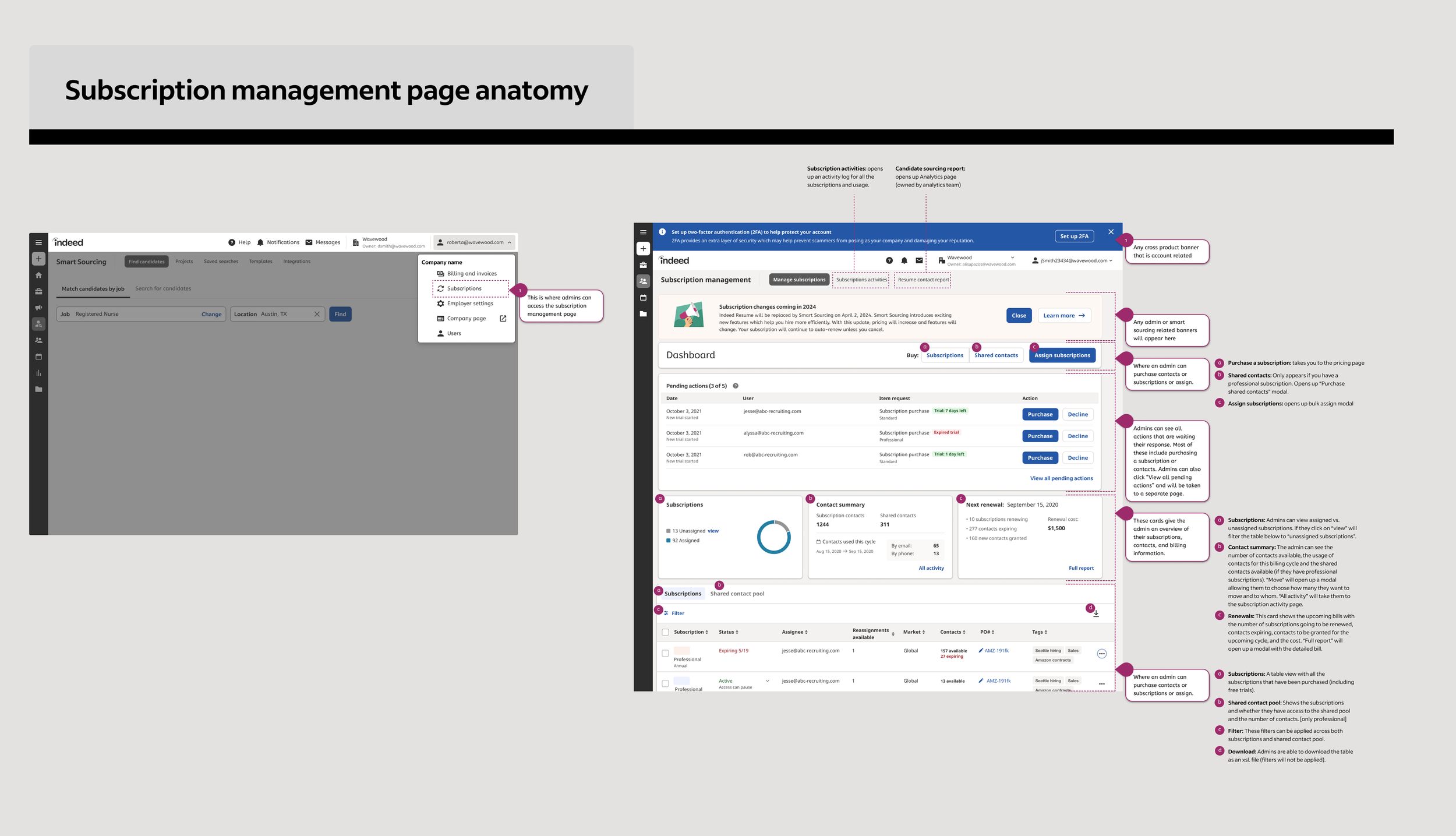
2️⃣ Anatomy of subscription management
Annotated with callouts on where they appear and where they lead, and why they are there, and guidelines on where they are displayed and where they are not [eg. the user permission a person would need to have to see a certain feature]
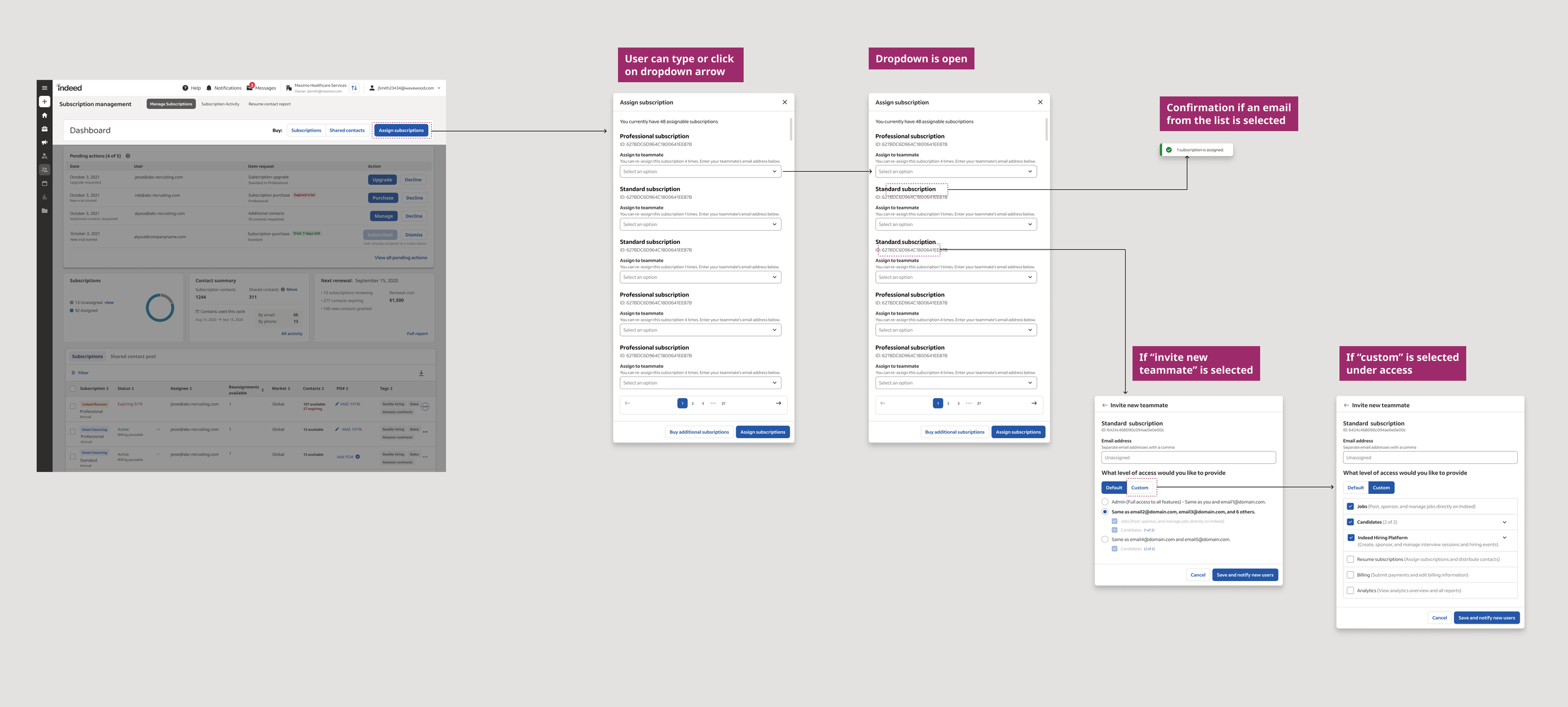
3️⃣ User Flows + Mapping
User flows include different states + guidelines on when they are used and appear
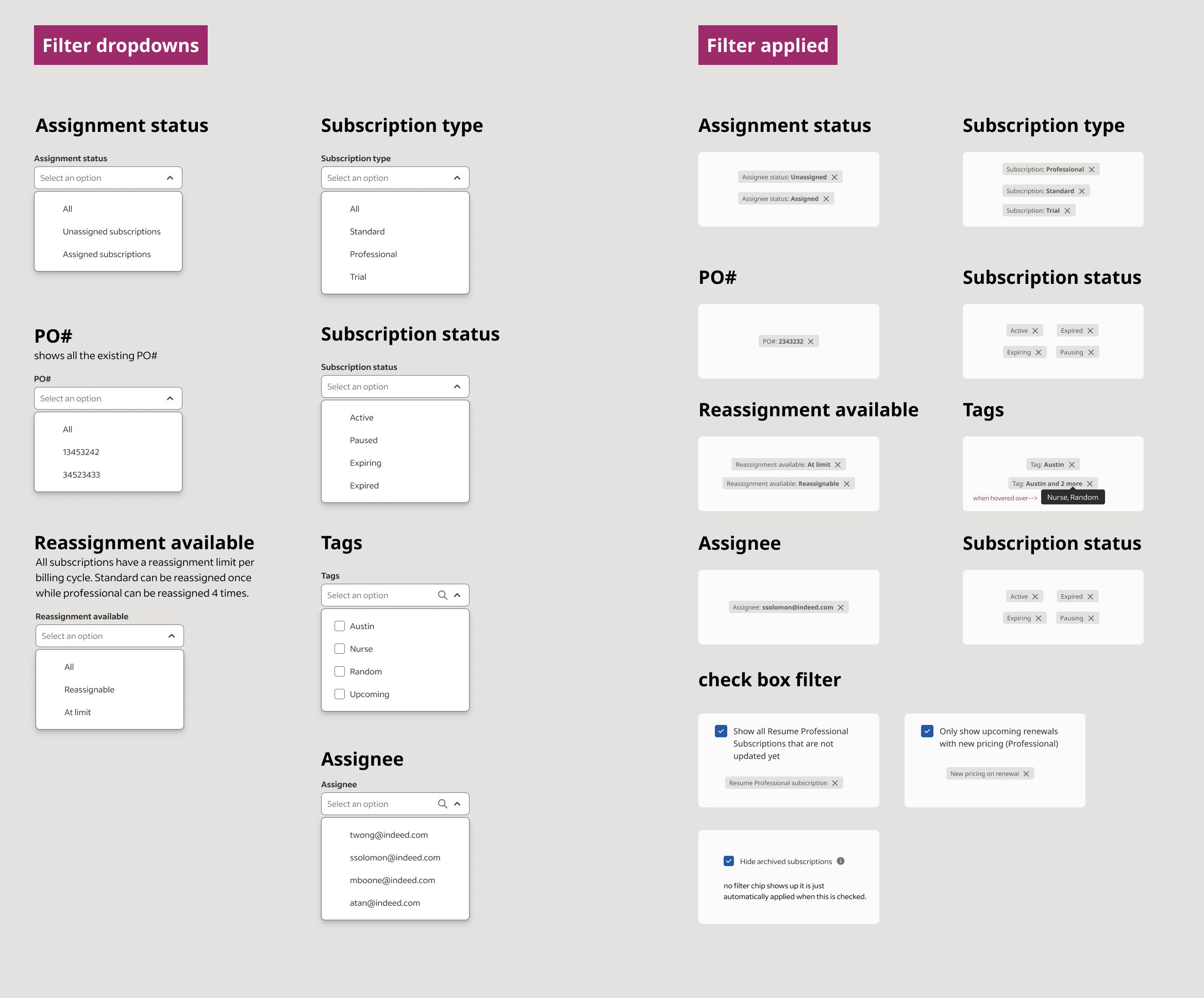
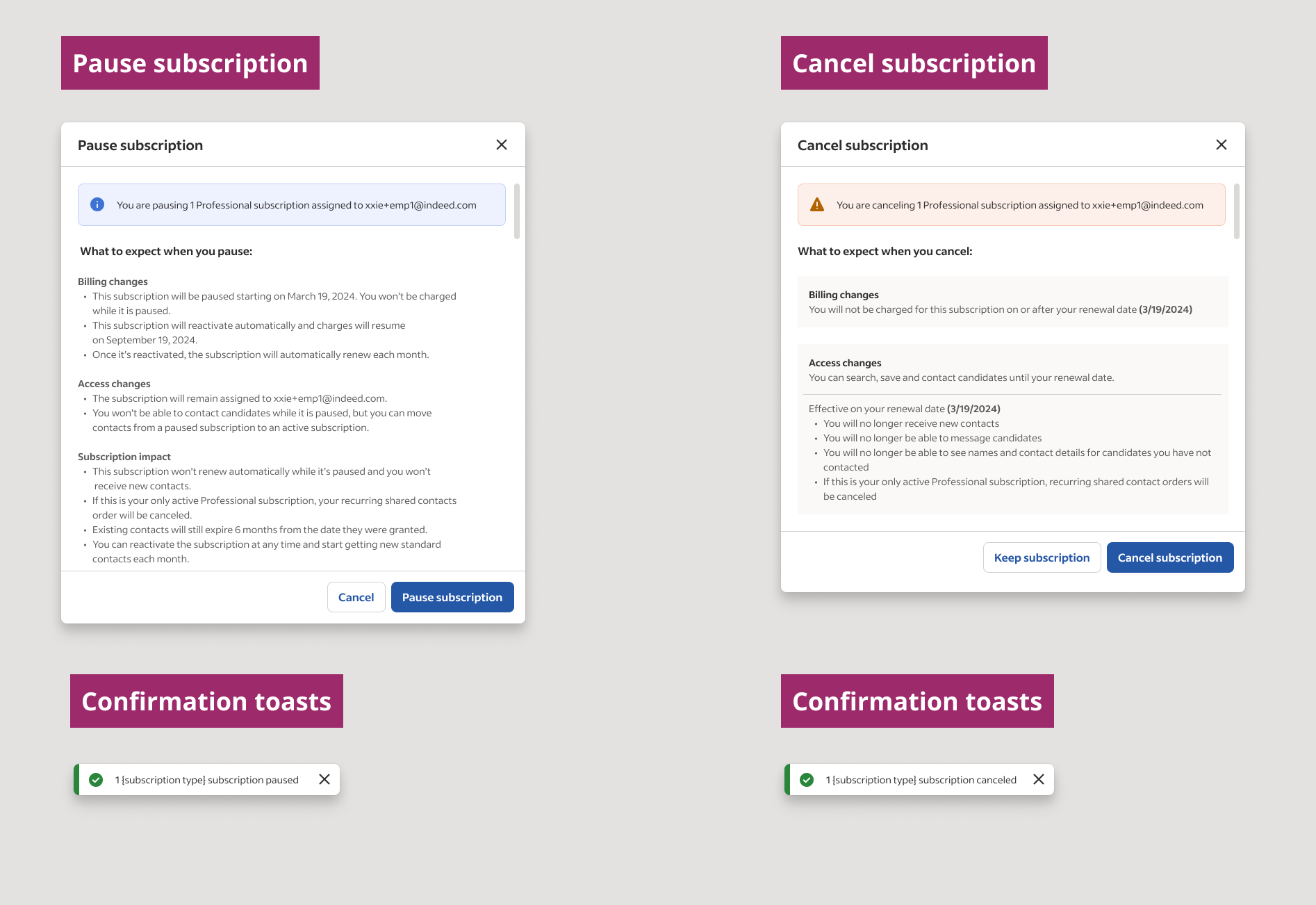
4️⃣ States of different features
Examples:
– states of filters: dropdowns, applied, hover, and selected
– subscription status: pausing, canceling, confirmation toasts
Next Steps ✅
Overall, this experience was incredibly enlightening. I gained a deep understanding of Subscription Management and the specific pain points faced by employers. Additionally, collaborating with a diverse group of stakeholders enhanced my relationships and improved our teamwork. There are still several follow-up steps to take:
1 – Meet with CS to discuss common issues and barriers employers face when managing subscriptions, especially larger employers. Understand how CS assists employers in making decisions on purchase quantities.
2 – Conduct usability testing on common user flows and gather insights to improve the user experience.
Identify key user flows to test, such as purchasing subscriptions, purchasing contacts, assigning contacts, canceling subscriptions, and deciding on the number of subscriptions for the next fiscal year.
Recruit participants representing different employer sizes and roles.
Develop test scenarios and tasks for each user flow.
Conduct usability testing sessions and record observations and feedback.
Analyze the results and identify areas for improvement
3 – Create responsive design for Subscription Management and ensure it is easily accessible and functional on mobile devices.